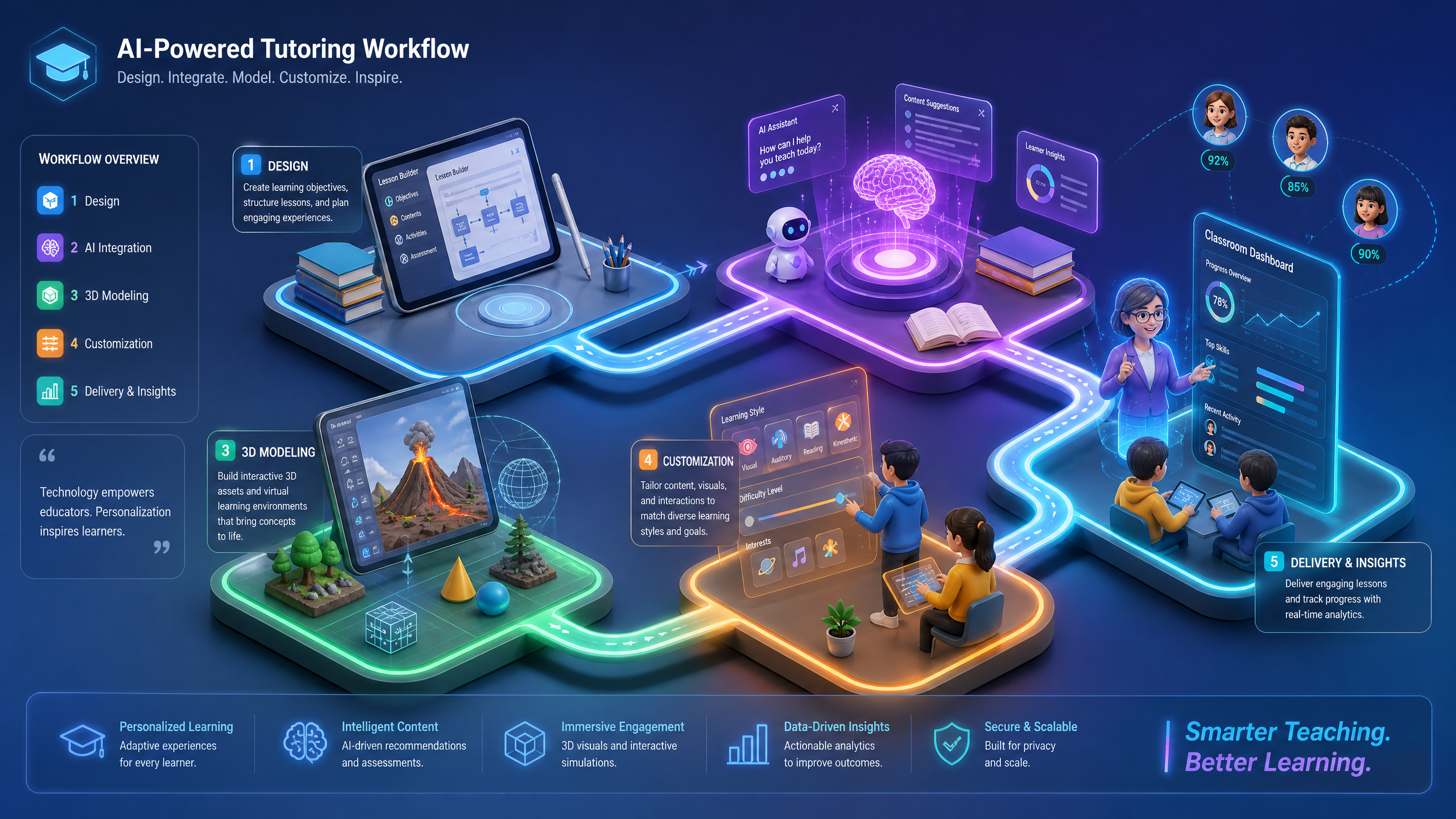
Step-by-Step Guide to Creating Interactive 3D AI Websites for Tutoring Services
Creating an interactive 3D AI-powered website for tutoring services can set you apart in a crowded market. With platforms like Draftly, you can craft a visually compelling, scroll-driven website in just a few simple steps. This guide walks you through the process to help you attract students, engage parents, and stand out as a modern and innovative tutoring service.
Why Choose a 3D AI Website for Tutoring Services?
A 3D AI website offers more than just good looks — it delivers an interactive and immersive experience that keeps visitors engaged. In fact, interactive websites can increase user engagement by up to 47% compared to traditional static websites. For tutoring services, this means better first impressions, enhanced trust, and ultimately, more student sign-ups.
!stepbystep guide to creating interactive 3d ai websites for tutoring services, tutorials
- Showcase your teaching methods: Visualize your tutoring process with dynamic 3D animations.
- Highlight success stories: Use 3D slides to spotlight student achievements.
- Boost conversions: Interactive websites encourage visitors to sign up or inquire about your services.
Step 1: Define Your Website Goals
Before you start building, it's crucial to determine what you want your website to achieve. Are you looking to:
- Increase tutoring inquiries?
- Provide online booking for sessions?
- Showcase your expertise and success rates?
- Create interactive learning experiences for students?
Step 2: Build Your Website Using Draftly
Draftly makes it easy to create a 3D interactive website in just a few steps:
- Log in to Draftly: If you don’t have an account yet, create one and choose the “Tutoring Services” template to get started.
- Input Your Prompt: Use natural language to describe what you want. For example: “Create a 3D website for a math tutoring service with a booking form, testimonials, and a vibrant color palette.”
- Customize the Layout: Modify the draft by adjusting fonts, colors, and your brand’s logo. Learn more with our guide on how to customize your brand kit in Draftly.
- Add Interactive Features: Use Draftly’s drag-and-drop widgets to integrate quizzes, video lessons, and virtual classroom tours.
- Preview and Publish: Review your website design in 3D, make necessary tweaks, and hit publish.
Step 3: Add Key Features for Tutoring Services
To make your 3D AI website effective, include features that cater to the unique needs of your audience:
Interactive Learning Modules
- Use Draftly’s 3D animation tools to create interactive lessons that simulate real-world scenarios.
- Include quizzes and gamified elements to keep students engaged.
- Leverage AI to provide personalized learning paths based on each student’s performance.
Online Booking System
- Add an intuitive scheduling tool where students can book sessions based on your availability.
- Enable automated email reminders to reduce no-shows.
- Offer multiple payment options to streamline the booking process.
Dynamic Testimonials and Success Stories
- Use 3D animations to showcase before-and-after comparisons of student grades or skills.
- Include video testimonials from satisfied parents and students.
- Create a scrolling timeline of student achievements, similar to 3D interactive historical timelines for Indian museums.
Step 4: Optimize for SEO
An interactive 3D website is only effective if potential clients can find it. Here’s how to ensure your site ranks well in search results:
- Use relevant keywords: Incorporate terms like “tutoring services,” “online tutoring,” and “3D learning platforms.”
- Create engaging content: Write blog posts on topics like “How to Improve Math Skills” or “Top 5 Study Tips for High School Students.”
- Optimize for mobile: With over 60% of web traffic coming from mobile devices, ensure your site is fully responsive.
Step 5: Analyze and Improve
Once your website is live, use analytics to measure its performance:
- Track metrics such as page views, bounce rate, and session duration.
- Use heatmaps to understand which sections of your site attract the most attention.
- Continuously update your content and features based on user feedback and performance data.