Designing AI-Driven FAQs and Support Sections for Better CX
Incorporating AI-driven FAQs and support sections on websites is a transformative way to enhance customer experience (CX). By automating responses and delivering tailored solutions, businesses can reduce customer service workload while improving satisfaction. With tools like Draftly, this process becomes both cinematic and interactive.
Why AI-Driven FAQs Matter
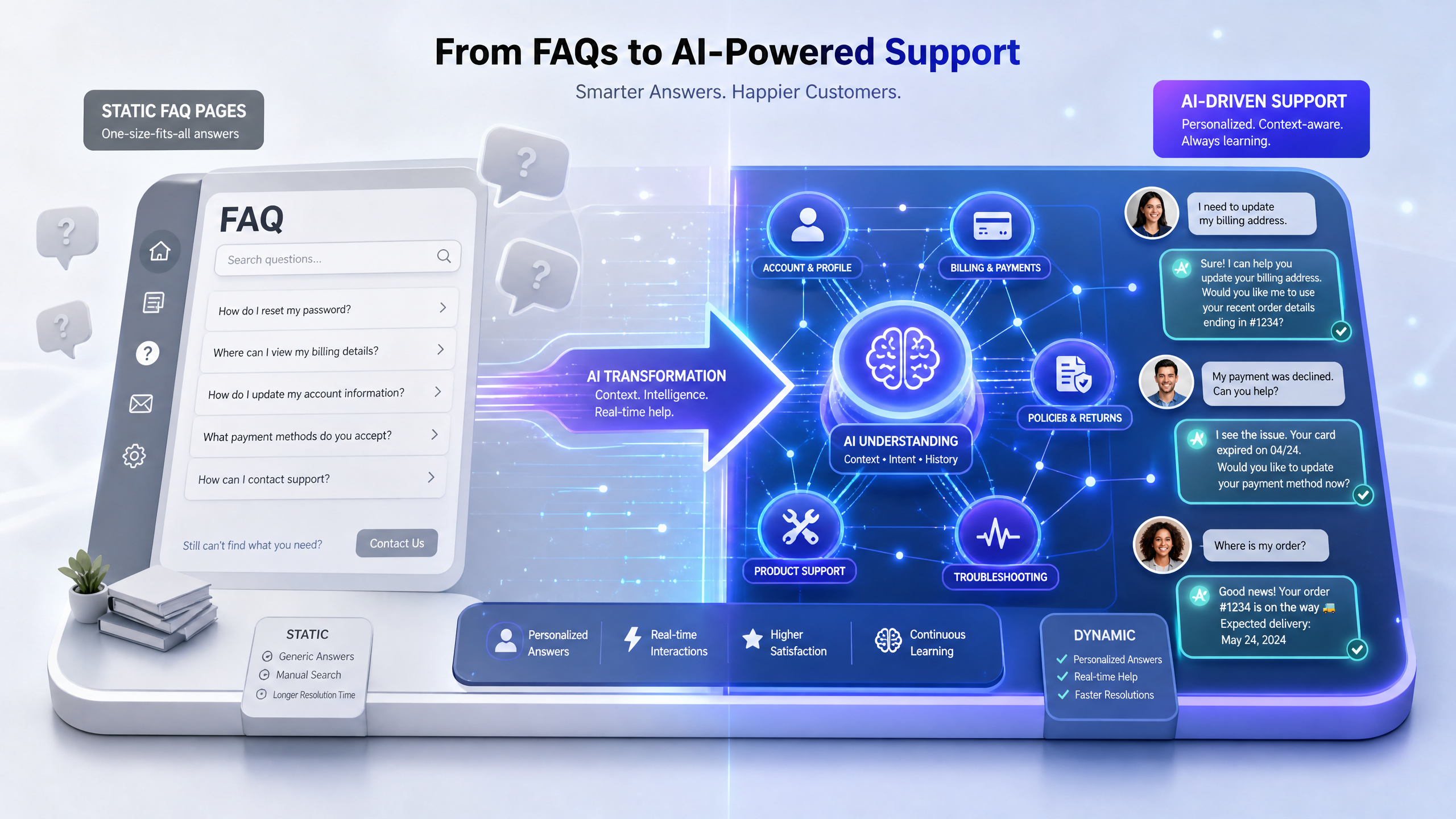
AI-driven FAQs outperform traditional static FAQs by offering real-time, contextual answers. By analyzing user behavior and input, they adapt responses dynamically, resulting in:
!designing aidriven faqs and support sections for better cx, tutorials
- 70% faster query resolution, according to Zendesk research.
- 30% reduction in customer service overhead through automation.
- Improved engagement due to personalized and interactive experiences.
Key Steps to Design AI-Driven FAQs
Follow these steps to design an AI-powered FAQ and support section that meets both user needs and business goals.
Step 1: Define Your FAQ Objectives
Before diving into design, clarify the purpose of your FAQ. Ask:
- What are the most common queries users ask?
- Are there pain points in existing customer support?
- How can AI personalize answers for diverse user segments?
Step 2: Choose the Right AI Tool
Select AI tools that align with your needs. Options include:
- Natural Language Processing (NLP) for accurate user query interpretation.
- Machine Learning Algorithms to improve FAQ responses over time.
- Integration-ready solutions, such as Draftly, for seamless deployment into 3D AI portfolio websites.
Step 3: Map User Journeys
Mapping user journeys is crucial for identifying where FAQs provide the most value. For example:
- Pre-sales phase: Users compare products and services (e.g., pricing, features).
- Onboarding phase: FAQs address installation or setup queries.
- Post-purchase phase: Focus on troubleshooting or warranty-related support.
How to Design Effective AI FAQs
Once objectives and tools are set, focus on crafting FAQs that deliver value.
1. Categorize FAQs
Structure FAQs into categories for easy navigation:
- General inquiries
- Product-specific questions
- Troubleshooting
- Billing and payments
2. Incorporate Conversational AI
Build conversational AI chatbots to make FAQs more dynamic. Ensure they:
- Handle open-ended queries with NLP.
- Provide contextual suggestions based on user input.
- Escalate complex issues to human support seamlessly.
3. Visualize FAQs in 3D
Make FAQs visually engaging by using Draftly’s 3D scroll-driven designs. Examples include:
- Interactive accordion menus that expand answers dynamically.
- Cinematic transitions for a polished user experience.
- Integrated multimedia answers (e.g., videos, diagrams).
Best Practices for Customer Support Sections
Beyond FAQs, a support section should be comprehensive and user-friendly. Here are some tips:
- Live chat integration: Offer real-time assistance alongside FAQs.
- Search functionality: Add a robust search bar that indexes all FAQ content.
- Feedback loops: Allow users to rate FAQ usefulness and provide suggestions for improvement.
Tools for Scaling AI Support
To scale AI-driven support sections, utilize:
- Draftly’s AI Builder for creating FAQs tailored to your brand.
- Analytics dashboards to monitor FAQ performance and user satisfaction.
- API integrations for syncing FAQs with existing CRM systems.