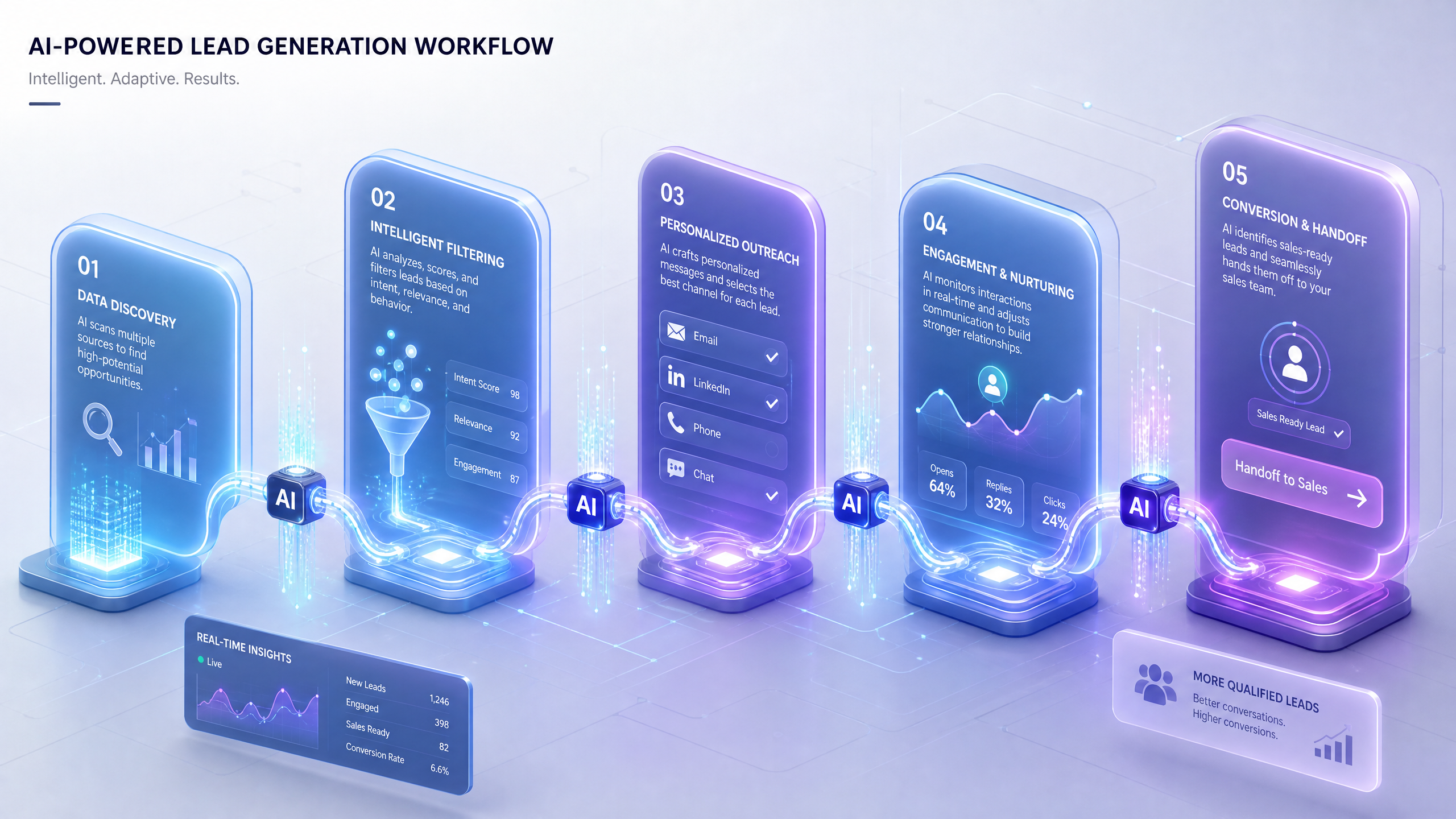
Creating Dynamic Lead Generation Workflows with AI-Integrated 3D Forms
AI-integrated 3D forms are transforming lead generation by combining visual interactivity with intelligent automation. This step-by-step guide will show you how to create dynamic workflows that attract, engage, and convert leads effectively.
Why Use AI-Integrated 3D Forms for Lead Generation?
Traditional forms often lack engagement, resulting in low completion rates. In contrast, 3D interactive forms are visually immersive and powered by AI, making them adaptive and highly engaging.
!creating dynamic lead generation workflows with aiintegrated 3d forms, tutorials
- 3D forms increase user interaction by up to 45% compared to static forms.
- AI can personalize form content based on user behavior, improving lead quality.
- Dynamic workflows allow real-time data collection, analysis, and follow-up strategies.
Step 1: Define Your Lead Generation Goals
Before building your workflow, define specific objectives:
- Are you collecting contact information for follow-ups?
- Do you need detailed user preferences for personalized offers?
- Are you using forms to qualify high-value leads?
Step 2: Design Your 3D Form with Draftly
Draftly makes it simple to create immersive 3D forms using AI and cinematic design.
Steps to Design Your Form
- Choose a template: Select a pre-designed 3D form template from Draftly’s library.
- Customize visuals: Adjust colors and fonts to match your branding. Learn how in this customization guide.
- Add AI logic: Define smart rules for adaptive questions based on user input.
- Embed media: Include videos, animations, or 3D objects to create an interactive experience.
Step 3: Automate Workflows with AI
AI elevates traditional lead generation workflows into dynamic systems that respond to user behavior in real-time.
How to Automate Your Workflow
- Set triggers: Define triggers for form completion, such as sending follow-up emails.
- Segment leads: Use AI to categorize leads into actionable groups (e.g., hot, warm, cold).
- Integrate with CRM: Sync collected data with your CRM for seamless pipeline management.
Step 4: Optimize and Analyze Performance
Dynamic workflows thrive on data-driven refinement. Use analytics tools to assess form performance and identify improvement areas.
- Monitor metrics like form completion rate, engagement time, and drop-off points.
- A/B test different question types, visuals, or workflow rules.
- Compare results with other interactive assets, such as 3D explainer pages.



