How to Design 3D AI Websites That Drive Engagement for Digital Workshops
Digital workshops thrive on engagement, interactivity, and participation. Designing a 3D AI website for your workshop can elevate the experience, creating an immersive and dynamic environment that captures your audience’s attention. Whether you're hosting an online skill-building session or virtual conference, follow these step-by-step instructions to craft a website that not only informs but also inspires.
Why Use 3D AI Websites for Digital Workshops?
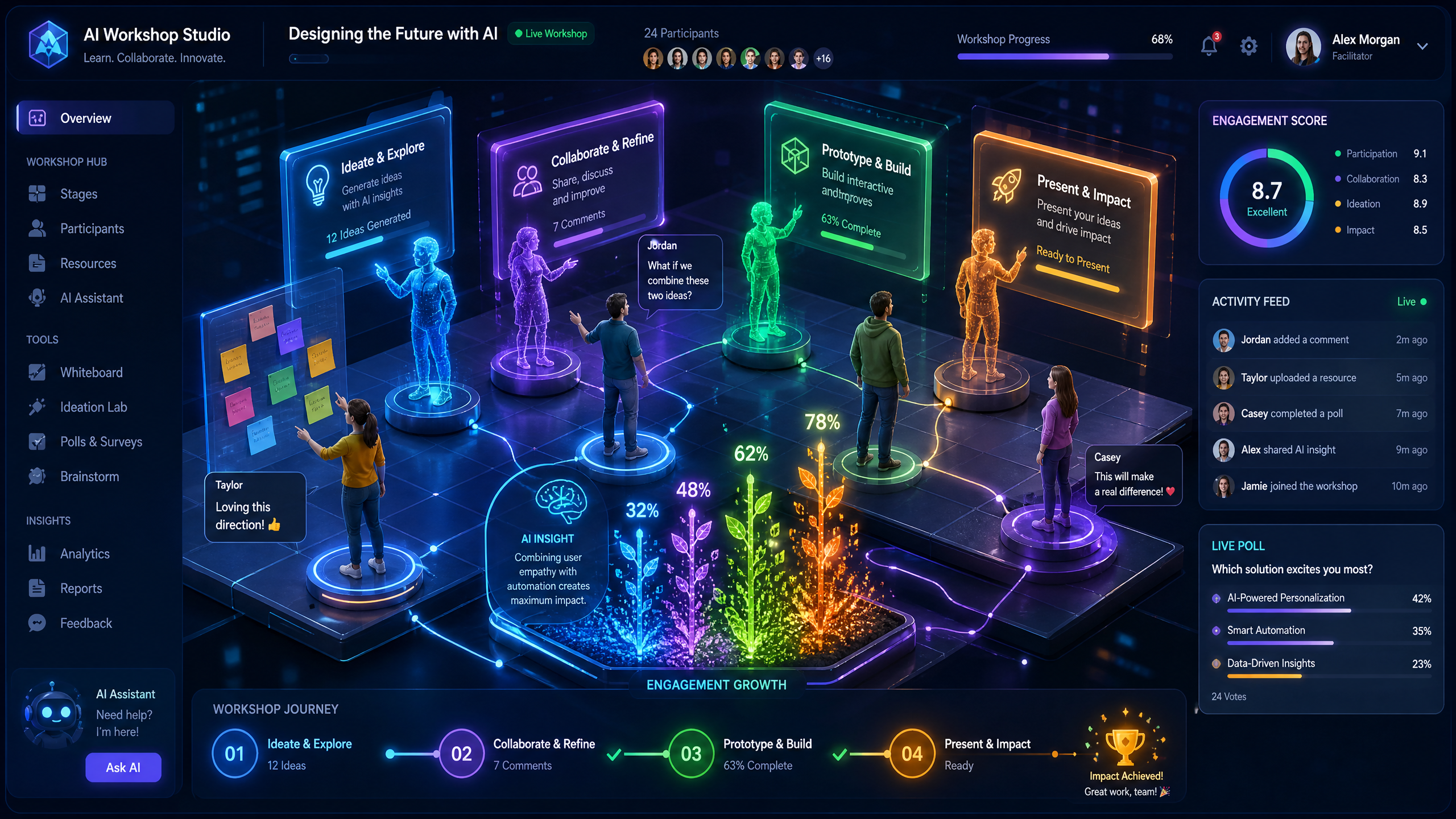
3D AI websites offer a multi-dimensional, cinematic experience that breaks the monotony of traditional web pages. These sites leverage scroll-driven elements and AI-driven interactivity to keep users engaged.
!how to design 3d ai websites that drive engagement for digital workshops, tutorials
- 87% of users say they’re more likely to complete online workshops with interactive elements.
- 3D interfaces can increase session duration by up to 42% compared to static pages.
- They are proven to boost conversions by offering a personalized, memorable experience.
Step-by-Step Guide to Designing 3D AI Websites for Workshops
Step 1: Define Your Workshop Goals
Begin by identifying the purpose of your workshop and the key outcomes you want participants to achieve.
- Determine if the workshop is educational, networking-based, or hands-on.
- List the primary topics or skills to cover—this will guide the visual structure.
- Use tools like Draftly’s AI-powered prompts to generate templates tailored to your objectives.
Step 2: Create a Visual Storyline
Storytelling drives engagement. A 3D AI website allows you to build a narrative that unfolds as users navigate.
- Start with a strong opening visual—use animations or cinematic scenes to introduce the workshop theme.
- Divide content into digestible sections, like introduction, objectives, agendas, and interactive breakout rooms.
- Make transitions seamless by using scroll-driven interactions that guide users through the storyline.
Step 3: Integrate AI-Powered Features
AI can transform your workshop website into a dynamic learning space.
- Add real-time chatbots to answer participant questions instantly.
- Use adaptive learning modules that tailor content based on user progress.
- Include gamification elements like badges or progress trackers.
Designing Interactive Elements for Engagement
Sub-section: Interactive Registrations
Engage participants from the start with a visually appealing registration page.
- Utilize Draftly’s 3D forms with dynamic animations to make sign-ups feel immersive.
- Allow participants to customize their profiles with avatars or preferences.
- Offer countdown timers to create excitement around limited slots.
Sub-section: Gamify the User Journey
Gamification is a proven method to keep users engaged throughout your workshop.
- Incorporate challenges linked to milestones, such as quizzes or polls.
- Introduce leaderboards to encourage friendly competition.
- Reward participation with points redeemable for exclusive content or discounts.
Optimize Your Workshop for Mobile Users
With over 75% of web traffic coming from mobile devices, ensure your 3D AI website delivers an excellent experience across all screen sizes.
- Use Draftly’s responsive design features to ensure compatibility with smartphones and tablets.
- Test the website’s loading speed; aim for under 3 seconds for optimal user retention.
- Simplify navigation for mobile users with swipe gestures and clear call-to-action buttons.