How to Create a 3D AI Website That Converts Event Attendees into Leads
Engaging and converting event attendees into leads requires more than just an attractive website. With the power of AI-driven 3D websites, you can create immersive experiences that capture attention and compel action. In this step-by-step guide, we’ll walk through how to design a 3D AI website with Draftly tailored specifically for event lead conversion.
Why Choose a 3D AI Website for Lead Conversion?
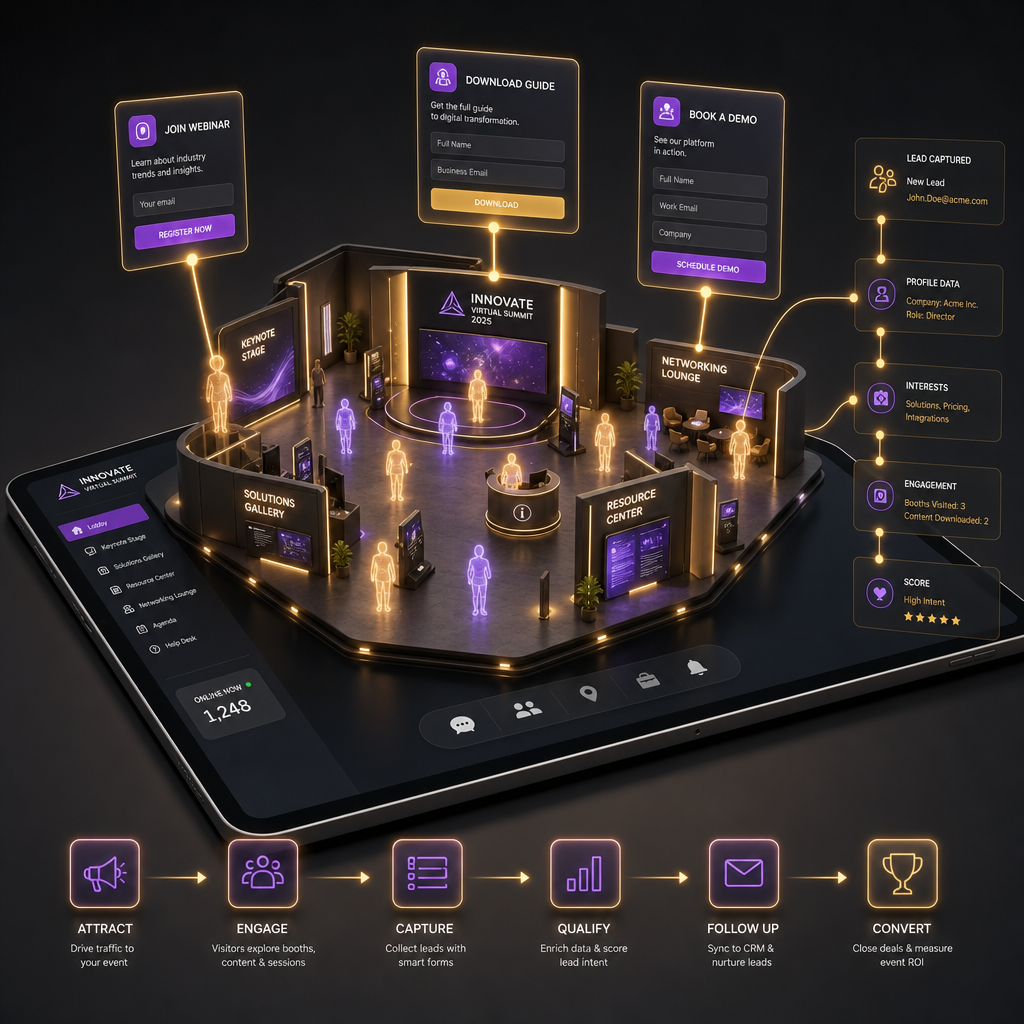
Traditional websites often struggle to keep visitors engaged, especially during events when audiences are distracted by multiple stimuli. A 3D AI website leverages interactive visuals and intelligent user flows, making it ideal for converting attendees into leads.
!how to create a 3d ai website that converts event attendees into leads, tutorials
- Higher engagement rates: Studies show interactive content generates 2x more engagement than static content.
- Improved lead conversion: Websites with dynamic design see up to a 30% increase in lead capture compared to traditional formats.
- Personalized experiences: AI adapts the website journey based on attendee preferences and behaviors.
Step-by-Step Guide to Building Your 3D AI Website
Follow these steps to create a high-converting website for your next event. Whether it's a conference, fundraiser, or product launch, these strategies ensure your site captures attendee interest and converts them into leads.
Step 1: Define Your Event Goals
Before you dive into design, clarify your objectives for the website. Are you collecting RSVPs, gathering email addresses, or promoting post-event offerings?
- Identify your target audience and their key pain points.
- Determine the type of leads you want—general interest, email sign-ups, or detailed registrations.
- Choose a clear call-to-action (CTA), such as "Register Now" or "Book a Demo."
Step 2: Choose a Cinematic 3D Theme in Draftly
Draftly offers pre-built 3D templates tailored to events, ensuring your website stands out. Here’s how:
- Log in to your Draftly account.
- Navigate to the templates gallery and select a cinematic, scroll-driven theme.
- Customize fonts and colors to match your brand identity using the tips from How to Customise Fonts, Colors and Your Brand Kit in Draftly.
Step 3: Implement Interactive Lead Capture Features
A 3D AI website is the perfect medium for interactive lead magnets. Here’s what to include:
- Dynamic registration forms: Use Draftly’s AI to embed forms that adapt based on user behavior.
- Gamified experiences: Engage attendees with quizzes or challenges that unlock special event perks.
- Live countdowns: Create urgency with real-time countdown widgets for registration deadlines.
Designing the User Journey for Maximum Conversions
Once your website layout is ready, focus on the user experience (UX). A seamless journey increases the likelihood of lead conversion.
Optimize Navigation and Visual Flow
- Use a scroll-driven design: Guide users through key event details like speakers, schedules, and perks.
- Highlight your CTA: Ensure your registration button is visible and stands out using bold colors.
- Include a prominent testimonial section to build credibility and trust.
Personalize Content with AI
AI can transform static pages into responsive experiences that adapt to user behavior:
- Offer tailored recommendations based on browsing patterns.
- Use pop-ups strategically to remind users to register or share feedback.
- Integrate social media profiles and event hashtags for seamless sharing.
Tracking & Analytics: Measuring Your Success
Creating a 3D AI website is just the start—you need to measure its impact. Draftly allows you to integrate analytics tools for real-time insights.
- Set up goal tracking in Google Analytics for your event’s CTAs.
- Use Draftly’s built-in analytics dashboard to monitor visitor engagement.
- Analyze user behavior patterns to optimize your website’s layout and features.