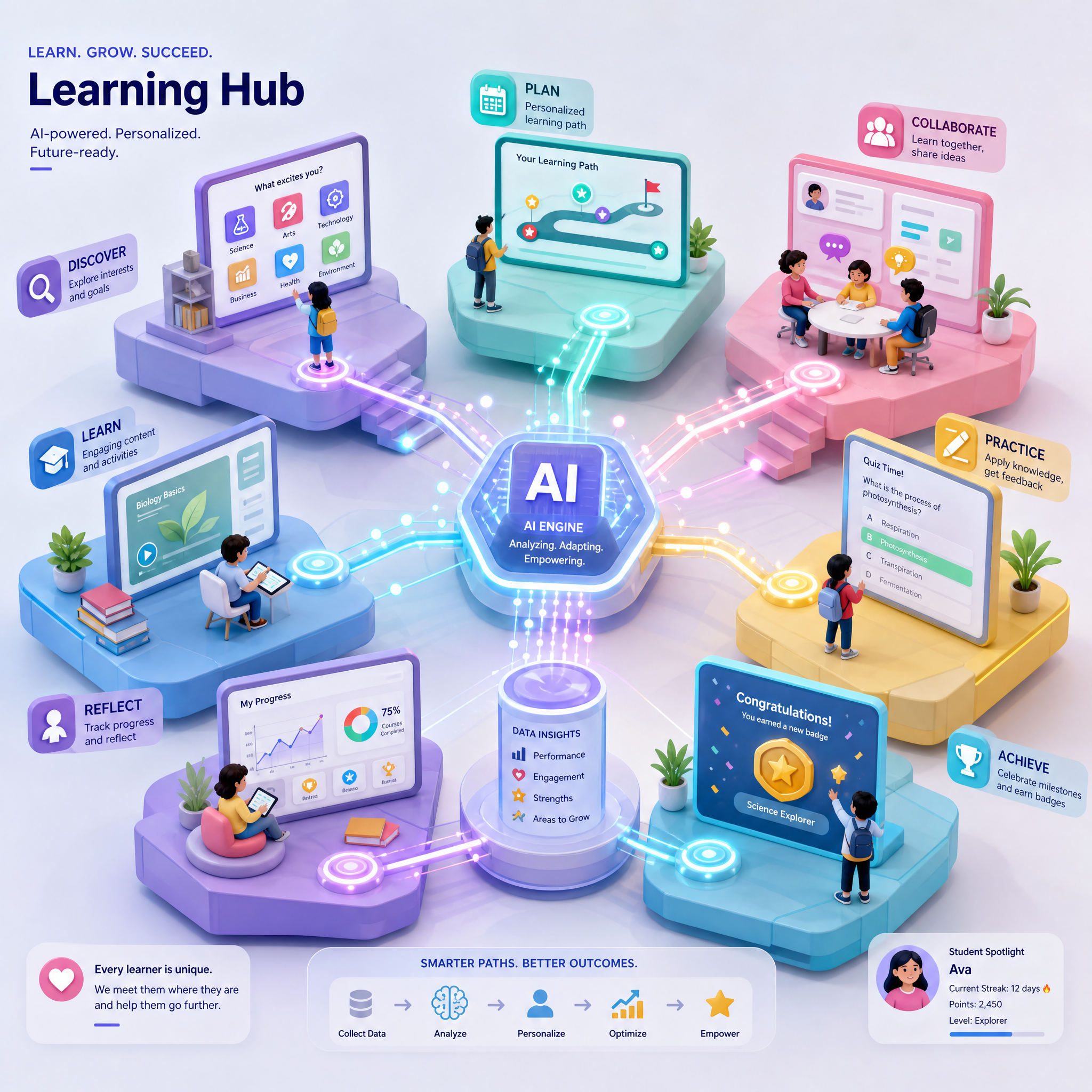
Step-by-Step Guide to Designing AI-Driven Interactive Learning Hubs
Creating AI-driven interactive learning hubs is a game-changer for online education platforms. These hubs offer immersive, personalized, and engaging learning experiences, catering to diverse learning styles. In this guide, we’ll show you how to build an effective AI-powered hub step-by-step using Draftly’s 3D website builder.
Why AI-Driven Interactive Learning Hubs Matter
AI-powered learning hubs enhance education by:
- Delivering personalized learning paths based on user behavior.
- Increasing engagement with interactive 3D elements.
- Simplifying complex topics with AI-driven visualizations and adaptive content.
For example, platforms using AI in education have seen a 30% increase in user retention rates, according to recent industry studies.
Step 1: Define Your Learning Objectives
Before diving into design, clarify the purpose of your learning hub. What outcomes should learners achieve?
- Identify the target audience—students, professionals, or hobbyists.
- Establish key objectives, e.g., skill mastery, exam readiness, or career advancement.
- Align content types like videos, quizzes, and interactive modules with these goals.
Step 2: Choose the Right AI Features
AI capabilities are the backbone of interactive learning hubs. Focus on features that match your platform’s needs:
- Personalized Recommendations: Use AI to suggest courses or modules based on user activity.
- Adaptive Learning Paths: Allow the platform to adjust difficulty levels dynamically.
- Chatbot Support: Offer real-time assistance via AI-driven chatbots.
- Progress Tracking: Use AI to generate insights on learner progress and suggest improvements.
Step 3: Design an Intuitive User Interface
Your learning hub’s design should be user-friendly and visually appealing to keep learners engaged. Here’s how:
- Use scroll-driven storytelling to present content in a logical and engaging way.
- Include 3D elements like animated timelines or interactive models to simplify complex concepts.
- Utilize Draftly’s customization tools to match your brand’s fonts, colors, and overall aesthetic (learn how to customize here).
Best Practices for Layout
- Keep navigation simple with clear sections for courses, progress, and resources.
- Use call-to-action (CTA) buttons like “Start Learning Now” or “Explore Modules” to guide users.
- Include a search bar powered by AI for quick content discovery.
Step 4: Integrate Interactive 3D Elements
3D visuals make learning more engaging and intuitive. With Draftly, you can easily create:
- 3D Timelines: Perfect for historical or chronological subjects (see how we built one for museums).
- Interactive Diagrams: Enable learners to explore complex systems by clicking on components.
- Gamified Modules: Reward learners with badges and points for completing tasks.
Step 5: Optimize for Mobile and Accessibility
With over 50% of e-learning accessed on mobile devices, mobile optimization is critical. Here’s how to ensure your hub is accessible to all:
- Use responsive design to adapt to different screen sizes.
- Ensure text is readable with proper contrast and font size.
- Include alt text for images to support visually impaired learners.
Step 6: Test and Iterate
Testing ensures your learning hub meets user needs. Here’s a quick checklist:
- Conduct usability testing with a small group of learners.
- Gather feedback on navigation, content clarity, and interactivity.
- Use analytics to track user behavior and refine AI algorithms.



