How AI 3D Websites Can Help Illustrators Showcase Their Portfolio Creatively
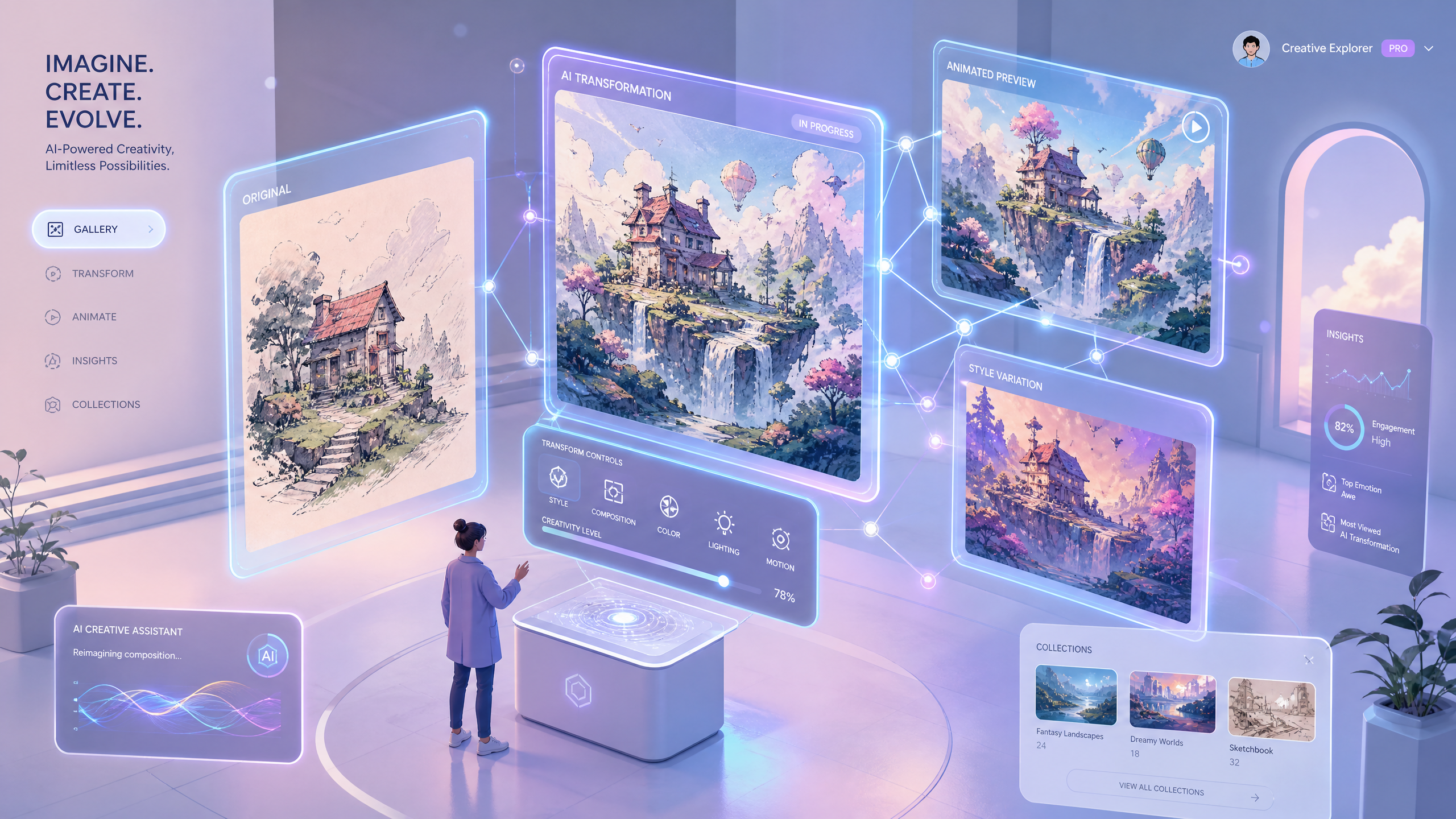
Illustrators often face the challenge of presenting their work in a way that grabs attention and communicates their unique style. Traditional 2D portfolios can feel static, leaving little room for dynamic storytelling. Enter AI 3D websites, a game-changer for creatives who want to showcase their portfolios in a visually stunning, interactive format.
In this guide, we'll walk you through how to use AI-powered 3D websites to create an unforgettable portfolio that captivates potential clients and collaborators.
Why Choose AI 3D Websites for Your Portfolio?
AI 3D websites combine cutting-edge technology with artistic expression, offering a platform that lets your creativity truly shine. Here’s why illustrators should consider making the switch:
!how ai 3d websites can help illustrators showcase their portfolio creatively, tutorials
- Immersive storytelling: Showcase your work in a dynamic, scroll-driven format that engages viewers from the first click.
- Unique presentation: Stand out in a crowded marketplace with a portfolio that looks and feels like no one else’s.
- AI-powered ease: Platforms like Draftly enable you to create a professional 3D website from just a single prompt, saving you time and effort.
Step 1: Define Your Portfolio Goals
Before you dive into designing your AI 3D website, take a moment to define your goals. Your portfolio should cater to your professional aspirations and target audience.
Questions to Consider:
- What type of clients or projects are you looking to attract?
- Do you want to highlight specific styles or themes in your work?
- Will your portfolio include personal projects, client work, or a mix of both?
Step 2: Choose the Right 3D Design Elements
One of the key advantages of using an AI 3D website is the ability to incorporate interactive elements that amplify your work.
- Animated transitions: Use subtle animations to lead your audience from one section to the next, creating a cinematic storytelling experience.
- Zoom-in features: Allow visitors to closely examine intricate details of your illustrations.
- Layered navigation: Create depth by organizing your portfolio into layers that users can explore by scrolling or clicking.
Step 3: Organize Your Work Strategically
A cluttered portfolio can overwhelm your audience. Instead, use these steps to organize your work:
- Categorize your illustrations: Group your work by themes, styles, or projects to make it easy to navigate.
- Feature your best pieces: Place your strongest works upfront to immediately capture attention.
- Add context: Use captions or short descriptions to explain the story, medium, or technique behind each piece. For example, share how your process aligns with sustainability in design if that’s a focus.
Step 4: Add Interactive Features
To make your portfolio truly stand out, leverage interactive elements that allow viewers to engage with your art.
Features to Consider:
- Before-and-after sliders: Highlight your creative process by showing the evolution of your illustrations. Learn how 3D AI websites can showcase before-and-after projects.
- Clickable hotspots: Add interactive markers to your artwork, revealing detailed descriptions or hidden elements when clicked.
- Scroll-triggered storytelling: Use parallax scrolling to guide users through a narrative journey, making your portfolio feel like an interactive gallery.
Step 5: Optimize for Mobile and SEO
Your portfolio needs to look just as stunning on a smartphone as it does on a desktop. Additionally, an optimized website will help potential clients find you.
- Mobile responsiveness: Ensure your 3D elements adapt seamlessly to smaller screens.
- Fast loading times: Use Draftly’s AI-powered optimization tools to keep your website performance high.
- SEO-friendly structure: Include keywords like "illustration portfolio" and tags for specific styles (e.g., watercolor, digital art) to boost search engine visibility.
Step 6: Tell Your Story Through Design
Your portfolio should reflect your artistic identity. Use your website to tell your story and establish a strong personal brand.
Key Elements to Include:
- About page: Share your journey, influences, and what inspires your work.
- Contact form: Make it easy for clients to reach you. Add a simple, interactive form.
- Social links: Link to your Instagram, Behance, or other platforms where you’re active.
Step 7: Preview, Test, and Launch
Before you go live, preview your site to ensure it works as intended.
- Test all features: Ensure animations, clickable elements, and transitions work smoothly.
- Gather feedback: Share a preview link with trusted peers or mentors to get constructive criticism.
- Launch and promote: Use social media, email lists, and art communities to share your new portfolio.