How to Build an AI 3D Website Optimized for Local Florist Delivery Services
Creating a 3D AI website for local florist delivery services can transform how customers interact with your business. With the right tools and strategy, you can showcase your floral arrangements in a visually stunning way, optimize for local search, and drive more orders. Here's how to do it step-by-step using Draftly, the AI-powered 3D website builder.
Why Choose a 3D AI Website for Florist Services?
A 3D website provides an immersive experience, allowing customers to visualize products, explore arrangements, and feel more connected to your brand. For florists:
!how to build an ai 3d website optimized for local florist delivery services, tutorials
- Visual storytelling: Showcase flower arrangements in a cinematic and interactive format.
- Customer engagement: 3D animations can simulate the experience of walking through a flower shop.
- Better SEO: Optimized for local search, your website can rank higher and attract more nearby customers.
Step 1: Define Your Target Audience and Goals
Start by identifying your target audience and what you want to achieve with your website. Clearly defining these aspects will shape your design and content strategy.
- Target audience: Are you catering to wedding planners, businesses, or individuals looking for same-day flower delivery?
- Goals: Do you want to boost online orders, drive foot traffic to your store, or establish a stronger local presence?
Step 2: Choose a Visually Appealing Theme
Draftly offers a variety of themes specifically designed for 3D websites. For florists, you’ll want a theme that allows you to highlight the vibrant colors and textures of your floral arrangements.
- Look for a scroll-driven design to guide users through your story.
- Use cinematic visuals to showcase your flowers in high resolution.
- Ensure your theme supports interactive features like rotating 3D product views.
Step 3: Upload High-Quality 3D Models and Images
Your flowers are the star of your business, so invest in high-quality visuals that highlight their beauty.
- Take professional photos of your arrangements in natural light.
- Use 3D modeling software or hire a professional to create 3D models of your best-selling products.
- Upload these assets to Draftly and use the platform’s AI tools to optimize and implement them in your website design.
Step 4: Integrate Local SEO Elements
For a local florist delivery service, ranking in local searches is crucial. Optimize your website with these steps:
Add Location-Based Keywords
- Include your city name and neighboring towns in your page titles, meta descriptions, and headers.
- Write blog posts about local events that involve flowers, like weddings or festivals.
- Use schema markup to include your business name, address, and phone number (NAP) on every page.
Create a Google My Business Integration
- Add a “Find Us” page with a Google Maps widget for easy navigation.
- Include a section for customer reviews and a CTA to leave a review on your Google My Business profile.
Step 5: Develop a Seamless Ordering System
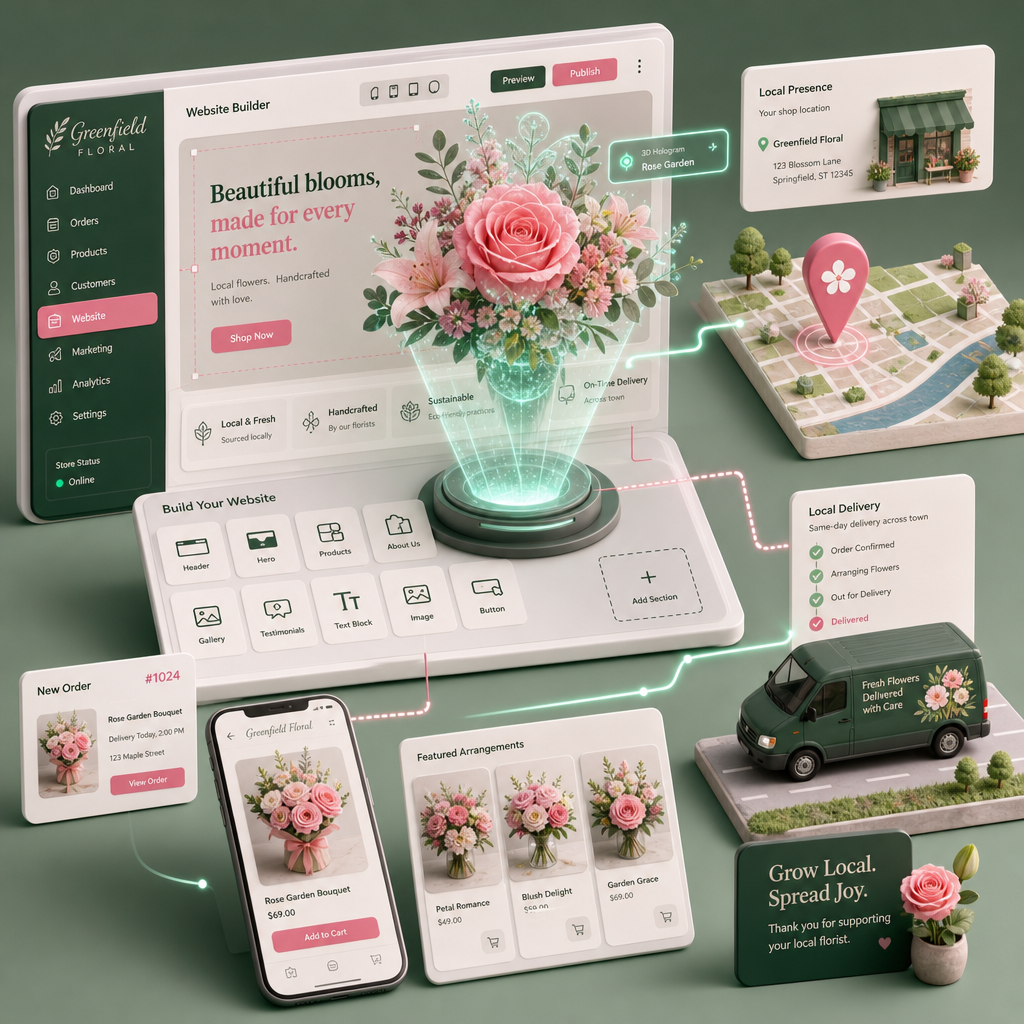
Your website should make it effortless for customers to place orders. Use Draftly’s AI-powered tools to implement an intuitive e-commerce experience.
- Interactive product catalog: Create a page where users can browse your flower collections in 3D.
- Customizable options: Allow customers to personalize bouquets with add-ons like vases, cards, or chocolates.
- Real-time delivery tracking: Integrate a tracking system so customers can monitor their orders.
Step 6: Add Seasonal and Event-Specific Pages
Florist businesses thrive on seasonal and event-specific sales. Your website should adapt to these opportunities.
- Create dedicated pages for Valentine’s Day, Mother’s Day, and weddings.
- Use Draftly’s AI to generate dynamic landing pages for seasonal campaigns.
- Add countdown timers to create urgency and boost conversions.
Example: Wedding Florals
- Design a 3D page showcasing your wedding arrangements.
- Include a form for couples to book consultations.
- Highlight testimonials from happy couples to build trust.
Step 7: Test and Optimize
Even after launching your website, optimization should be ongoing. Use analytics tools to understand user behavior and refine your site.
- Track bounce rates and identify any pages that need improvement.
- A/B test your CTAs to see which phrases drive more conversions.
- Regularly update your product visuals and SEO keywords to stay competitive.