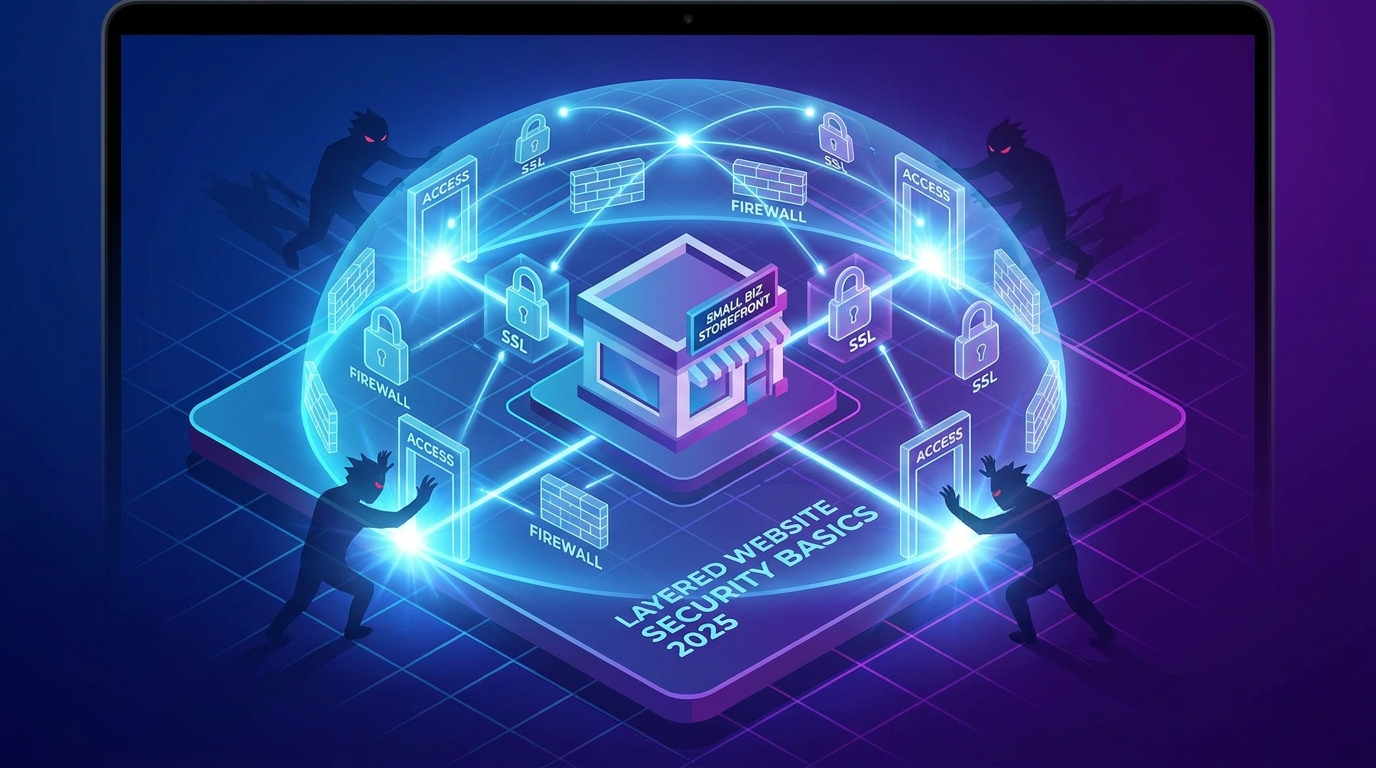
A single successful cyberattack costs a small business an average of $25,000, and a staggering 60% of them shut down within six months of the breach. These aren't just scare tactics; they're the reality of digital ownership in 2025. Understanding website security basics is no longer an optional IT task—it's a core business function, as critical as managing your finances. Ignoring it is like leaving the front door of your physical store wide open overnight.
Your website is your digital headquarters. It’s where customers find you, trust you, and give you their information. A security failure doesn't just risk data; it risks the entire foundation of that trust, potentially damaging your brand beyond repair.
Why Website Security is Non-Negotiable
Forgetting about security isn't just a risk; it's a direct threat to your revenue, reputation, and even your search engine rankings. The consequences of a breach are multi-layered and severe.
!website security basics every owner should know in 2025, tutorials
Financial and Reputational Damage
Beyond the immediate cost of remediation, a breach erodes customer confidence. A recent survey found that 81% of consumers would stop engaging with a brand online after a data breach. The lifetime value of those lost customers often far exceeds the initial financial hit. This loss of trust can take years to rebuild, if it can be rebuilt at all.Severe SEO Penalties
Google has a vested interest in sending its users to safe websites. If your site is compromised, you can expect swift and harsh penalties. This includes the dreaded "This site may be hacked" warning in search results, which kills click-through rates. Furthermore, a lack of fundamental security, like an SSL certificate, is a direct negative ranking signal. HTTPS and SSL are now table stakes for SEO, and browsers will actively flag your site as "Not Secure," scaring away up to 75% of potential visitors.The Core Pillars of Website Security Basics
Protecting your website doesn't require a degree in cybersecurity. It requires implementing a few fundamental best practices. These are the non-negotiable pillars that form a strong defensive foundation.
1. SSL/TLS Certificate (HTTPS Encryption)
Think of an SSL (Secure Sockets Layer) certificate as a secure, sealed envelope for data traveling between your website and your visitors. It encrypts information like contact details and payment information, making it unreadable to anyone trying to intercept it.* What it does: Ensures all data is encrypted.
* Why it matters: Protects user data, builds trust (the padlock icon), and is a requirement for good SEO.
* The good news: All websites built with Draftly automatically include a free SSL certificate. There's nothing you need to configure or renew.
2. Strong Passwords and Access Control
Weak and reused passwords are the leading cause of security breaches, accounting for over 80% of hacking incidents. Implementing a strong password policy is the single most effective, low-cost security measure you can take.* Use a Password Manager: Tools like Bitwarden or 1Password generate and store complex, unique passwords for every account.
* Enable Two-Factor Authentication (2FA): 2FA requires a second form of verification (like a code from your phone) and blocks over 99.9% of automated attacks, even if a hacker has your password.
* Limit User Permissions: Not every team member needs administrator access. By using a principle of least privilege, you limit the potential damage if one account is compromised. This is especially important when you manage multiple sites and clients with team collaboration tools.
3. Regular Software Updates and Backups
If you use a traditional CMS like WordPress, you're responsible for keeping everything updated: the core software, your theme, and every single plugin. Hackers actively scan for sites running outdated software with known vulnerabilities. In fact, outdated plugins are the entry point for over 50% of WordPress hacks.This is a major advantage of closed systems like Draftly. Since there are no third-party plugins to manage, this massive attack surface is completely eliminated. We handle all platform updates and security patches behind the scenes, so you're always protected without lifting a finger.
4. Web Application Firewall (WAF)
A WAF acts as a security guard for your website, sitting between your visitors and your server. It inspects incoming traffic and filters out malicious requests, blocking common attacks like SQL injections and cross-site scripting (XSS) before they can ever reach your site.While once a feature for large enterprises, WAFs are now a standard part of modern, secure hosting environments. They are a critical layer of proactive defense.
How to Spot a Security Breach (Early Warning Signs)
Catching a breach early can significantly reduce the damage. If you notice any of these signs, it's time to investigate immediately.
* A Sudden Drop in SEO Rankings: Your site suddenly disappearing from search results is a huge red flag. A quick check in Google Search Console or performing a DIY SEO audit for your website can reveal if Google has detected malware.
* Spammy Pop-ups or Redirects: If your site is redirecting visitors to spammy or malicious websites, it's a clear sign you've been compromised.
* Unfamiliar Content or Links: Hackers often add hidden pages or links to their own properties to exploit your site's authority.
* Suspicious User Accounts: The sudden appearance of new admin accounts you didn't create is a five-alarm fire.
* Your Hosting Provider Sends a Warning: Most hosts will scan for malware and suspend your account if they find it. Take these warnings seriously.
The Draftly Advantage: Security by Design
Managing all these security layers can feel like a full-time job. That's why we built Draftly with a security-first architecture, so you can focus on your business, not on fending off hackers.
With Draftly, your website's security is handled from the ground up:
* Managed Secure Hosting: We provide a fully managed environment with enterprise-grade firewalls and DDoS protection.
* Automatic SSL: Every site gets a free, auto-renewing SSL certificate.
* No Plugin Vulnerabilities: Our closed ecosystem eliminates the single biggest risk factor for most small business websites.
* Global CDN: A Content Delivery Network not only makes your site faster but also helps absorb malicious traffic spikes.
Security isn't an afterthought; it's a core feature. It's part of the peace of mind that comes with building on a modern, AI-powered platform and a key item on our pre-launch checklist for every website.
Your website is too valuable to leave unprotected. By understanding these website security basics, you can make informed decisions and build a digital presence that is not only beautiful and cinematic but also safe and trustworthy.
Ready to build a powerful 3D website on a platform that takes security seriously? Generate your site with Draftly today.



