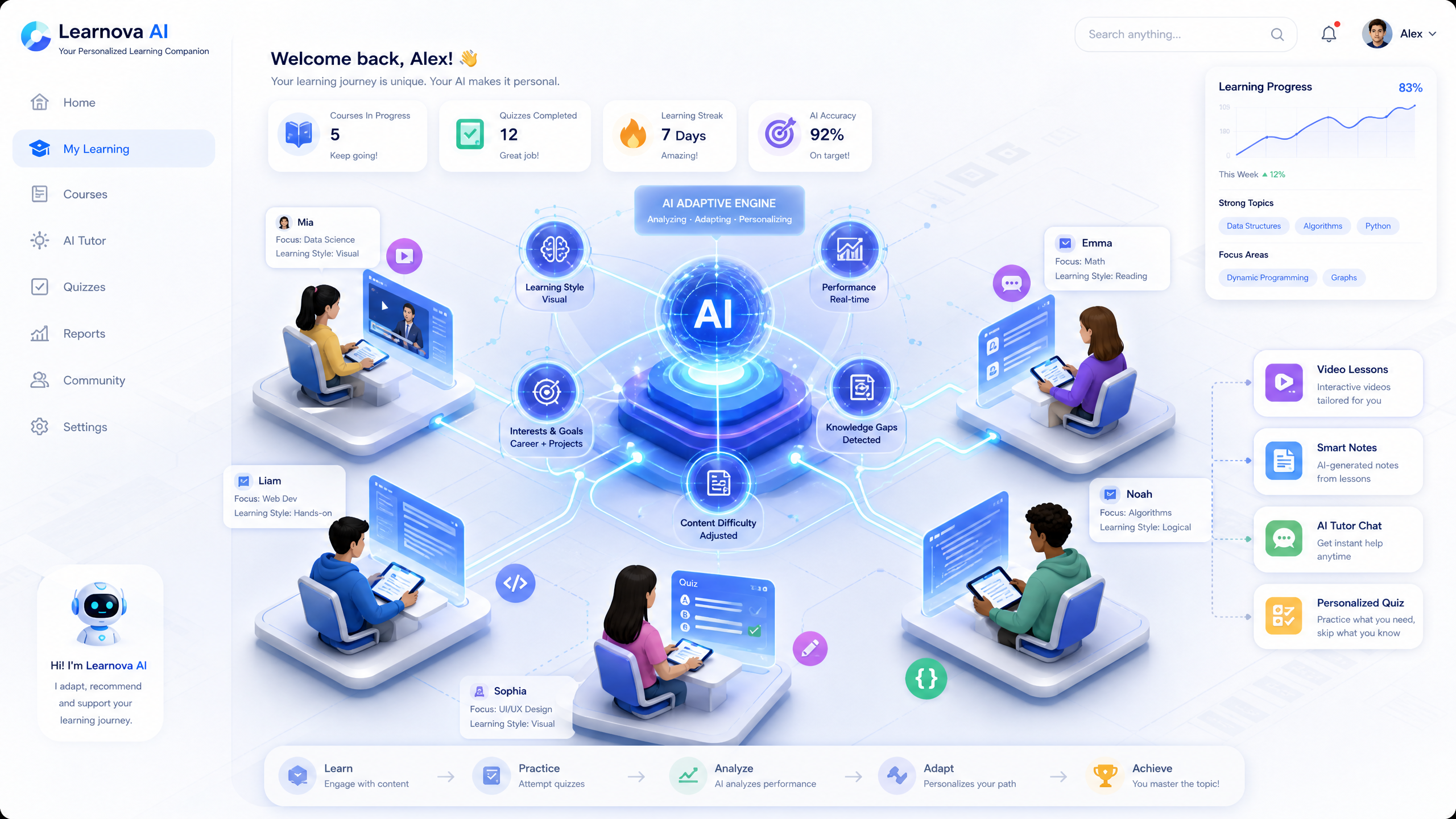
Creating Interactive AI-driven Websites for Online Learning Platforms
Building an interactive AI-driven website for online learning platforms can revolutionize education by enhancing engagement and personalization. With Draftly, you can transform a simple prompt into an immersive, cinematic experience.
Why Choose AI-Driven Websites?
AI-driven websites offer dynamic content tailored to user behavior, improving retention rates by up to 60%. They provide personalized learning paths, enhancing the educational experience.
!creating interactive aidriven websites for online learning platforms, tutorials
- AI personalizes content based on user interaction
- Enhances engagement with interactive features
- Improves accessibility with adaptive learning tools
Getting Started with Draftly
To create an AI-driven website, you'll need to start with Draftly's AI 3D website builder. Follow these steps to ensure a seamless setup.
- Sign Up and Log In: Begin by creating a Draftly account and logging in to access the dashboard.
- Select a Template: Choose an educational template that fits your platform's needs.
- Define Your Objectives: Clearly outline the learning goals and target audience for your platform.
Customizing Your Website
Customization is key to making your website stand out. Use Draftly's customization features to align with your brand identity.
Setting Up Interactive Features
Interactive elements increase engagement and facilitate active learning.
- Add Interactive Quizzes: Use AI to generate quizzes that adapt to student performance.
- Incorporate 3D Models: Engage learners with 3D models and simulations.
- Enable Chatbots: Implement AI chatbots for instant feedback and support.
Enhancing User Experience
A seamless user experience is crucial for keeping learners engaged. Implement these strategies to optimize your platform.
- Responsive Design: Ensure your website is mobile-friendly to cater to various devices.
- Fast Load Times: Optimize content to reduce loading times, as 47% of users expect pages to load in under 2 seconds.
- Accessible Navigation: Simplify navigation with clear menus and search functionality.
Integrating AI Tools
Incorporate AI tools to provide personalized learning experiences.
- AI-Driven Analytics: Use analytics to track student progress and adapt content.
- Personalized Content Delivery: AI can suggest resources tailored to individual needs.
- Adaptive Learning Paths: Implement AI to offer customized learning journeys.
Testing and Launching Your Website
Before going live, ensure your website meets all quality standards.
- Conduct User Testing: Gather feedback from a sample group of users to identify areas for improvement.
- Optimize SEO: Use relevant keywords to improve search engine visibility, like "AI-driven learning platforms" and "interactive educational websites."
- Launch: Once tested and optimized, launch your platform and start engaging learners.



