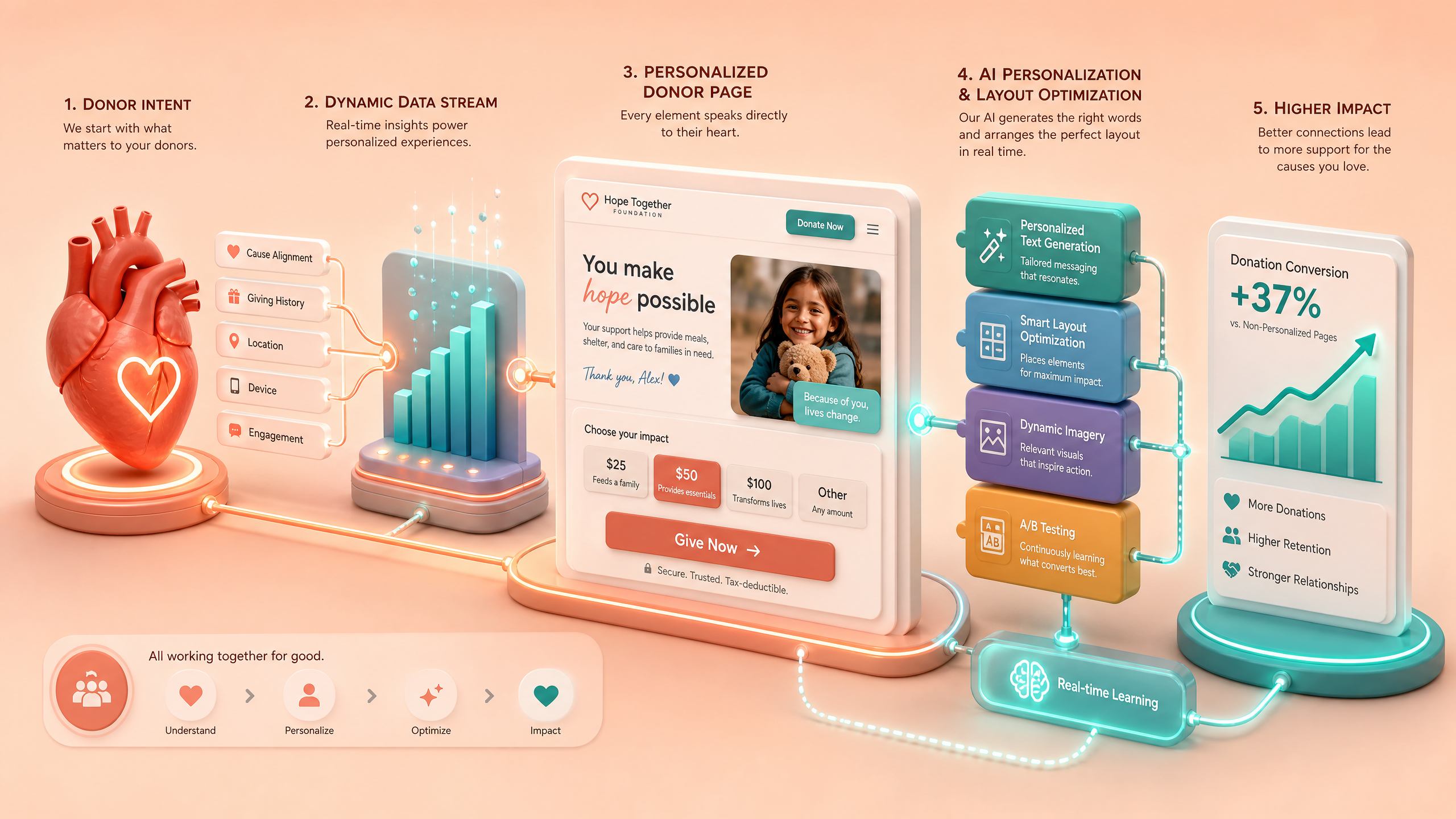
Designing AI-Enhanced Donor Pages for Fundraising Campaigns
Creating compelling donor pages can make or break your fundraising campaign. With AI-powered tools like Draftly, you can design dynamic, engaging, and data-driven pages that inspire action. This guide walks you through actionable steps to build donor pages that maximize both engagement and conversions.
Why AI-Enhanced Donor Pages Matter
Traditional donation pages often suffer from low engagement, with average conversion rates hovering around 15%. By integrating AI, you can personalize the user experience, streamline navigation, and highlight impactful stories—all of which can boost conversion rates by 20–40%.
!designing aienhanced donor pages for fundraising campaigns, tutorials
AI-enhanced donor pages:
- Personalize messaging based on donor behavior and preferences
- Highlight real-time campaign progress to create urgency
- Simplify the donation process with smart forms
Step 1: Define Your Campaign Goals
Before designing your AI-enhanced donor page, clarify your objectives. Are you aiming to:
- Increase total donations?
- Attract new donors?
- Highlight a specific cause?
Actionable Steps:
- Identify your target audience—corporate sponsors, small donors, or recurring givers.
- Set measurable goals, such as "Raise $50,000 in 30 days" or "Gain 500 new donors."
- Use these goals to guide your page structure and content.
Step 2: Craft a Story-Driven Layout
AI tools can help weave compelling narratives into your donor page. Research shows that emotionally engaging content increases donation likelihood by 50%.
Key Elements of a Story-Driven Layout:
- Hero Section: Use an AI-generated video or 3D animation to showcase your cause.
- Impact Highlight: Display real-time metrics, such as "$20,000 raised out of $25,000."
- Donor Testimonials: Include AI-curated quotes from past donors.
Step 3: Leverage Personalization with AI
Personalization increases user engagement by 80%. AI can analyze visitor data to tailor messages, donation amounts, and even visuals.
How to Implement Personalization:
- Dynamic Suggested Donations: Use AI to suggest donation tiers based on a donor's browsing history or past giving.
- Localized Content: Display region-specific stories and images.
- Real-Time Updates: Show live progress bars and donor activity.
Step 4: Simplify the Donation Process
A complex or slow donation process can deter potential donors. AI can streamline this by automating steps and reducing friction.
Steps to Simplify:
- Smart Forms: Pre-fill fields using AI prediction.
- One-Click Donations: Enable payment methods like Google Pay and Apple Pay.
- Mobile Optimization: Ensure your donor page is fast and responsive on all devices.
Step 5: Test and Optimize
Even the best-designed donor page can benefit from continuous improvement. Use analytics and A/B testing to refine your strategy.
Metrics to Track:
- Conversion rate (aim for 20% or higher)
- Average donation amount
- Bounce rate (should be below 40%)
Optimization Tips:
- Test different headlines and CTAs (e.g., "Donate Now" vs. "Make an Impact Today").
- Analyze heatmaps to see where users drop off.
- Use AI insights to predict and address donor behavior patterns.



