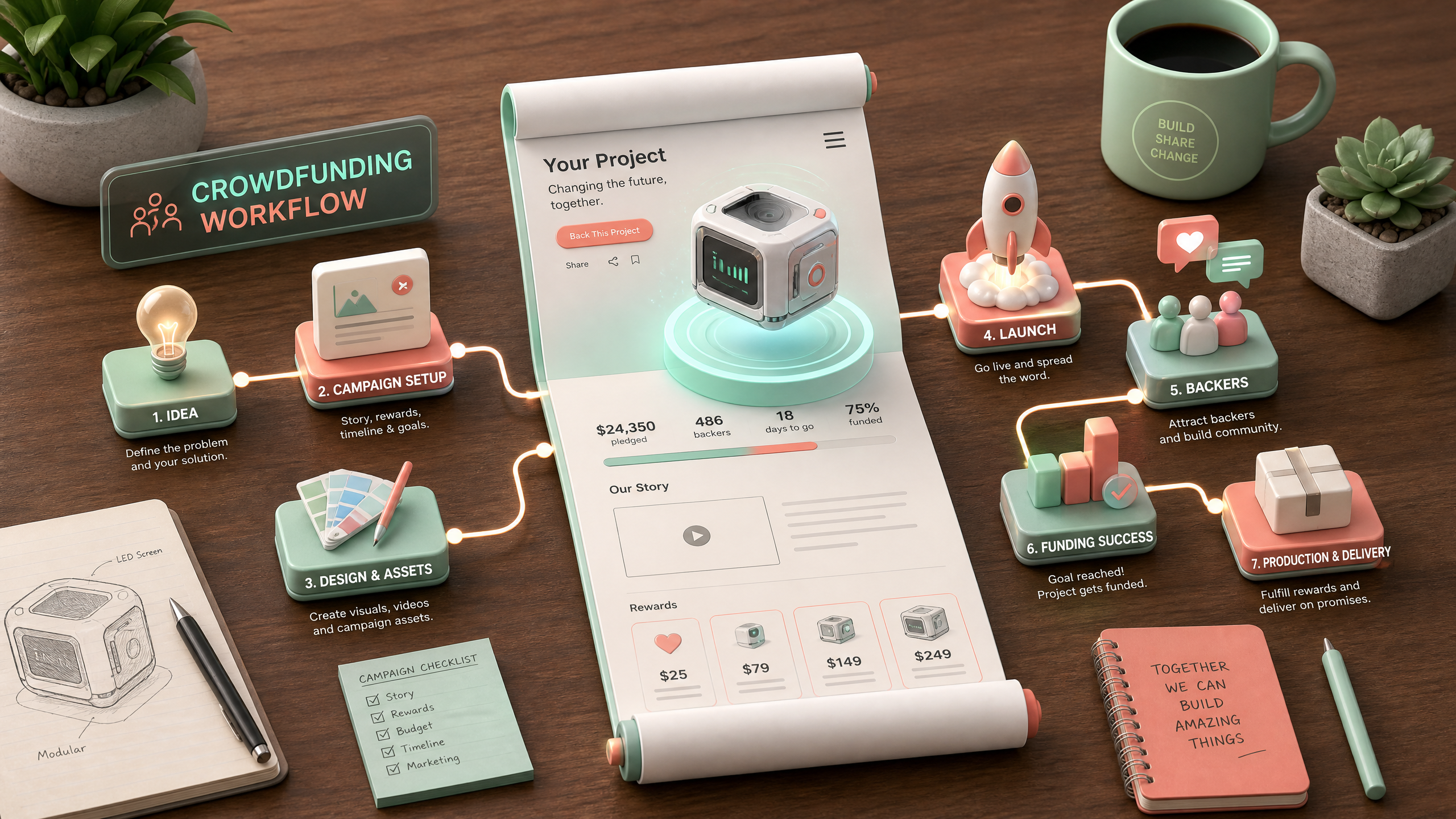
Designing Captivating Landing Pages for Crowdfunding Campaigns Using AI
Crowdfunding success hinges on one key element: your landing page. A poorly designed page can repel donors, while an engaging, immersive experience can pull them in. This guide walks you through how to use AI tools like Draftly to create visually stunning, high-converting landing pages for your crowdfunding campaign.
Why Use AI for Crowdfunding Landing Pages?
AI streamlines the design process, transforming simple prompts into cinematic, scroll-driven layouts. Instead of spending days tweaking every detail, platforms like Draftly let you focus on your campaign’s story and goals.
!design captivating landing pages for crowdfunding with ai, tutorials
Benefits of AI-Driven Landing Pages
- Efficiency: Create pages in minutes rather than hours.
- Personalization: Tailor visuals and text to resonate with your target audience.
- Immersion: Use AI-powered 3D effects to captivate donors.
- A/B Testing: Easily tweak elements for better conversion rates.
Step-by-Step Guide to Building AI Landing Pages
Follow these steps to craft a landing page that drives engagement and donations.
1. Define Your Campaign Goals
Start by clarifying what you want to achieve:
- Funding Target: Specify the exact amount you’re aiming for.
- Audience Persona: Identify demographics, interests, and motivations.
- Story Hook: Craft a compelling narrative that connects emotionally.
2. Choose Your AI Tool
Draftly is ideal for creating scroll-driven, immersive pages. It uses AI to generate interactive 3D visuals, making your campaign stand out. Other AI tools may work, but few match Draftly's ability to deliver cinematic designs.
Learn more about immersive design in Step-by-Step Guide to Building 3D Educational Event Pages for Indian School Competitions.
3. Build the Structure
To keep your page effective, follow this structure:
- Header Section: Use a bold, high-impact title and a short tagline that summarizes your campaign.
- Story Section: Showcase a video or visual timeline explaining the problem and solution.
- Donation CTA: Include an interactive button that leads directly to the donation portal.
- Impact Section: Use dynamic charts or 3D visuals to show how funds will be used.
4. Add Cinematic Elements
AI allows you to layer visual effects to enhance storytelling:
- Parallax Scrolling: Create depth as users scroll.
- 3D Animations: Illustrate your campaign’s progress or outcomes.
- Dynamic Transitions: Smoothly guide visitors between sections.
Optimizing for Engagement
Once your page design is ready, it’s time to refine it for maximum impact.
Use Data-Driven Insights
AI tools often provide analytics to measure performance. Focus on:
- Bounce Rate: Adjust visuals or text if visitors leave too soon.
- Click-Through Rate: Test different CTA placements.
- Conversion Rate: Experiment with donation button designs.
Personalize for Donors
Tailor your page to specific donor groups. For example:
- Use culturally resonant imagery for regional campaigns.
- Highlight urgent deadlines for time-sensitive campaigns.
- Add donor testimonials for credibility.
Test Your Landing Page
Before launching, run A/B tests to determine:
- Which headline generates more clicks.
- Whether visuals or text drive higher engagement.
- Optimal button placement for donations.



