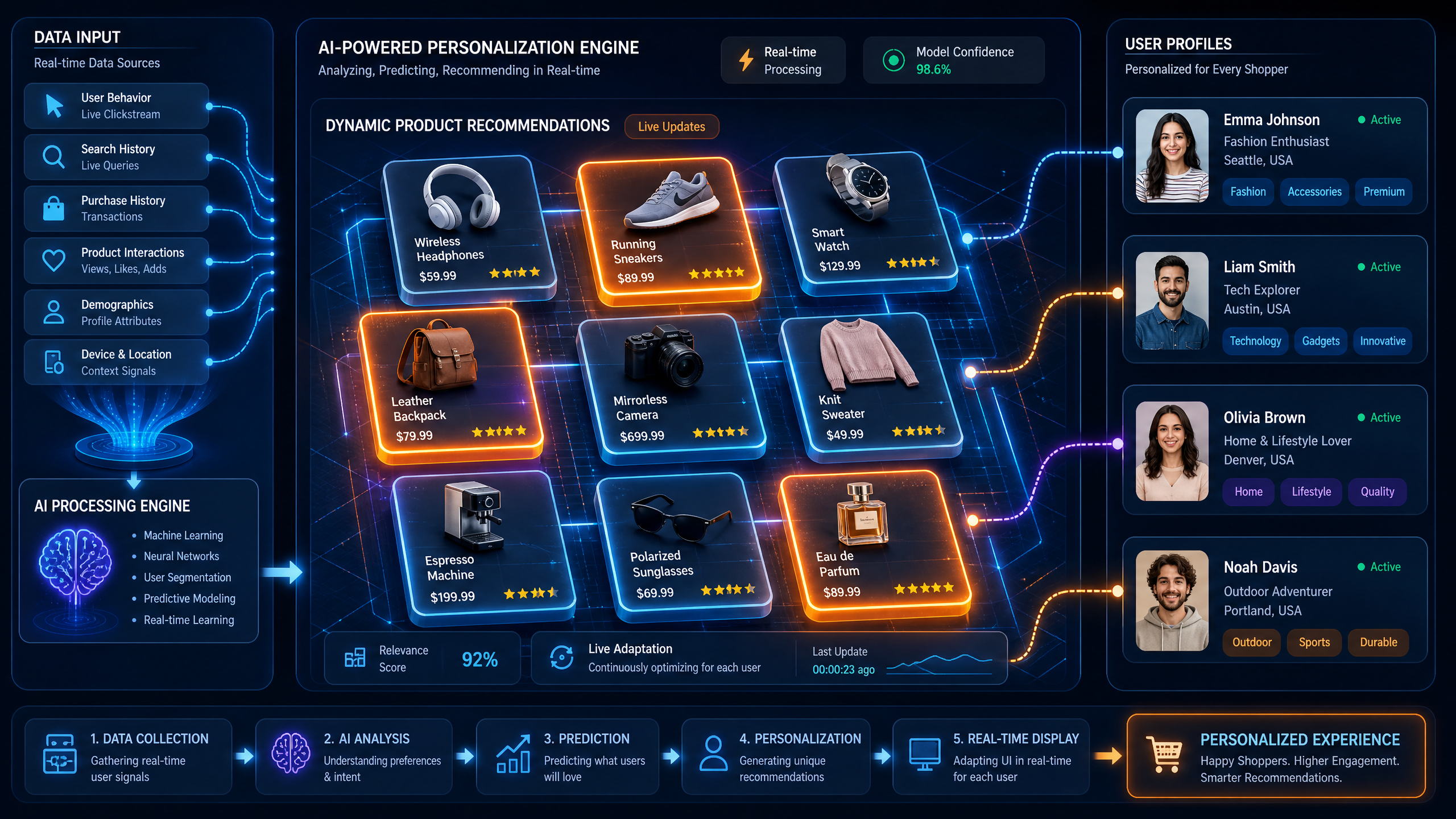
Best Practices for Implementing AI-Generated Product Displays on E-Commerce Websites
AI-generated product displays are reshaping e-commerce, offering personalized experiences that drive engagement and conversions. In this guide, we’ll walk through practical steps to implement these displays effectively, ensuring your online store stands out.
Why Use AI-Generated Product Displays?
AI-generated product displays leverage algorithms to showcase items dynamically based on user behavior, preferences, and trends. Studies show that personalized displays can increase sales by up to 20% and improve user satisfaction by 35%.
!best practices for implementing aigenerated product displays, tutorials
- Higher Engagement: AI adapts to users, showing products they’re most likely to buy.
- Automation: Reduces manual effort in curating product displays.
- Scalability: Handles large inventories effortlessly.
Step-by-Step Guide to Implementing AI-Generated Displays
To ensure success, follow these actionable steps to integrate AI product displays into your e-commerce site.
1. Understand Your Audience
Your AI algorithm relies heavily on user data. Start by identifying:
- Demographics: Age, location, income level.
- Behavior Patterns: Past purchases, browsing habits.
- Preferences: Style, color, or brand affinity.
2. Choose the Right AI Tool
Not all AI tools are created equal. Select a platform based on:
- Integration Options: Ensure compatibility with your e-commerce CMS.
- Personalization Features: Look for dynamic product recommendations.
- Scalability: Can the tool handle growth?
3. Optimize Product Data
AI algorithms thrive on clean, structured data. Ensure:
- Complete Product Information: Descriptions, tags, SKUs.
- High-Quality Images: Minimum 1080p resolution.
- Categorization: Group items logically (e.g., by type or occasion).
4. Implement Dynamic Displays
Dynamic product grids adapt in real-time. To set this up:
- Identify Key Pages: Homepage, category pages, and checkout.
- Define Rules: Show items based on browsing history or bestsellers.
- Test Variations: A/B test layouts to see what drives conversions.
5. Personalize Recommendations
AI thrives on personalization. Ensure:
- Behavior-Based Suggestions: Upsell similar or complementary items.
- Geo-Targeting: Display region-specific products.
- Seasonality: Adapt recommendations for holidays or trends.
Monitoring & Optimization
Even the best AI setups require regular fine-tuning. Here’s how:
Track Key Metrics
Monitor:
- CTR (Click-Through Rate): Are users engaging with displays?
- Conversion Rate: How many visitors complete purchases?
- Bounce Rate: Are users leaving without interacting?
Run Regular A/B Tests
Experiment with:
- Layouts: Grid vs. carousel.
- Colors: Brighter vs. muted tones.
- Recommendation Types: Bestsellers vs. trending.
Gather Feedback
Use post-purchase surveys to ask:
- Was the selection helpful?
- Did recommendations feel relevant?
- What would improve your experience?



