How to Create AI-Driven Websites for Patient Engagement in Healthcare
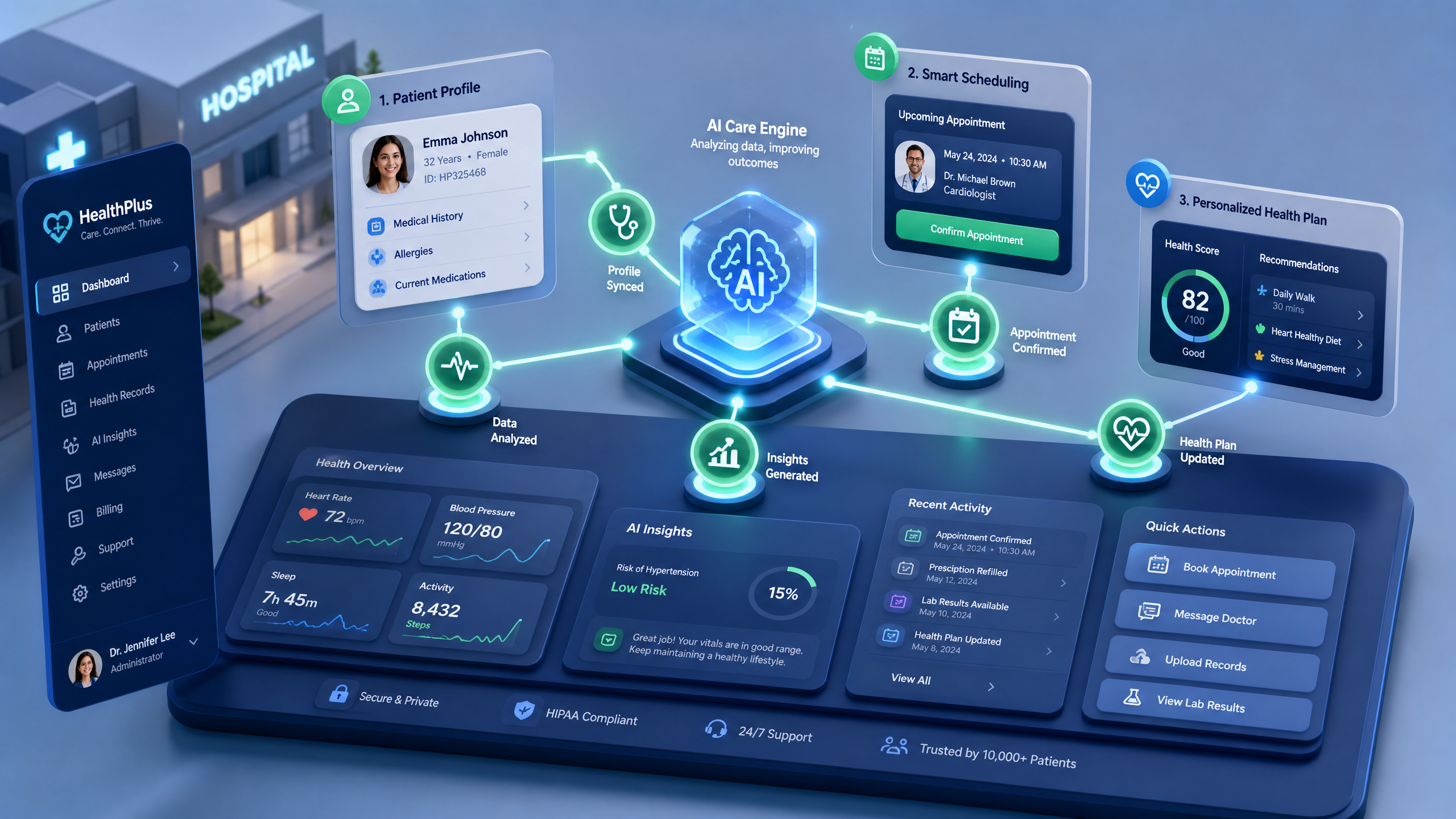
AI-driven websites are transforming patient engagement in healthcare. From interactive appointment schedulers to personalized health dashboards, AI tools can streamline communication and improve care outcomes. This step-by-step guide will help you create a 3D AI-driven website tailored for healthcare using Draftly.
Why AI-Driven Websites Matter in Healthcare
Patient engagement isn’t just about convenience—it’s about fostering trust and improving outcomes. According to a 2022 study, 62% of patients prefer digital tools for managing appointments and accessing health information. AI-powered features enhance this experience by providing personalized, responsive, and real-time solutions.
!how to create aidriven websites for patient engagement in healthcare, tutorials
With platforms like Draftly, you can build cinematic, scroll-driven websites that captivate users while addressing their healthcare needs. Learn how 3D AI websites increase engagement in other industries to see how you can apply similar principles to healthcare.
Step 1: Define Your Healthcare Goals
Before diving into design, clarify what your website needs to achieve.
- Improve appointment scheduling: Use AI chatbots or interactive forms.
- Provide educational resources: Include 3D explainer pages for treatments.
- Enhance patient portals: Enable secure access to medical records with intuitive dashboards.
- Boost trust with testimonials: Add interactive stories from real patients.
Checklist for Goal Setting
- Identify key challenges (e.g., missed appointments, low portal engagement).
- Define your audience (e.g., seniors, busy professionals, chronic care patients).
- Prioritize features like AI chatbots or 3D dashboards based on patient needs.
Step 2: Design the Framework with Draftly
Draftly simplifies the process of creating visually stunning 3D websites. Here’s how to get started:
Choose a Template
- Select a healthcare-focused template from Draftly’s library.
- Customize fonts, colors, and layouts to match your brand identity. Here’s how to customize your brand kit in Draftly.
Integrate AI Features
- AI Chatbots: Add an AI-powered chatbot for real-time patient queries.
- Interactive Dashboards: Use Draftly’s 3D tools to create secure, scroll-driven patient dashboards.
- Appointment Scheduling: Embed a dynamic calendar synced with your clinic’s availability.
Accessibility Settings
- Ensure the site is WCAG-compliant for patients with disabilities.
- Include multi-language support to cater to diverse demographics.
Step 3: Build Interactive Patient Engagement Features
To truly engage patients, your website needs to go beyond static pages. Here are some practical features to include:
Personalized Health Insights
- Include AI tools that analyze patient data to deliver personalized health tips.
- Use 3D animations to visualize treatment progress or fitness goals.
Educational Content
- Create immersive explainer pages for treatments or conditions.
- Use videos and infographics to simplify complex medical concepts.
Feedback Loops
- Add interactive surveys to collect patient feedback.
- Display real-time analytics on patient engagement metrics to improve future content.
Step 4: Test, Launch, and Optimize
A healthcare website must be secure, fast, and user-friendly. Testing is critical before launch.
Pre-Launch Checklist
- Security: Use SSL encryption and follow HIPAA guidelines.
- Speed: Optimize images and reduce load times to under 3 seconds.
- Mobile Responsiveness: Ensure the site is fully functional on mobile devices.
Launch and Track Performance
- Use Draftly’s analytics tools to monitor user behavior.
- A/B test different designs to see which features drive the most engagement.



