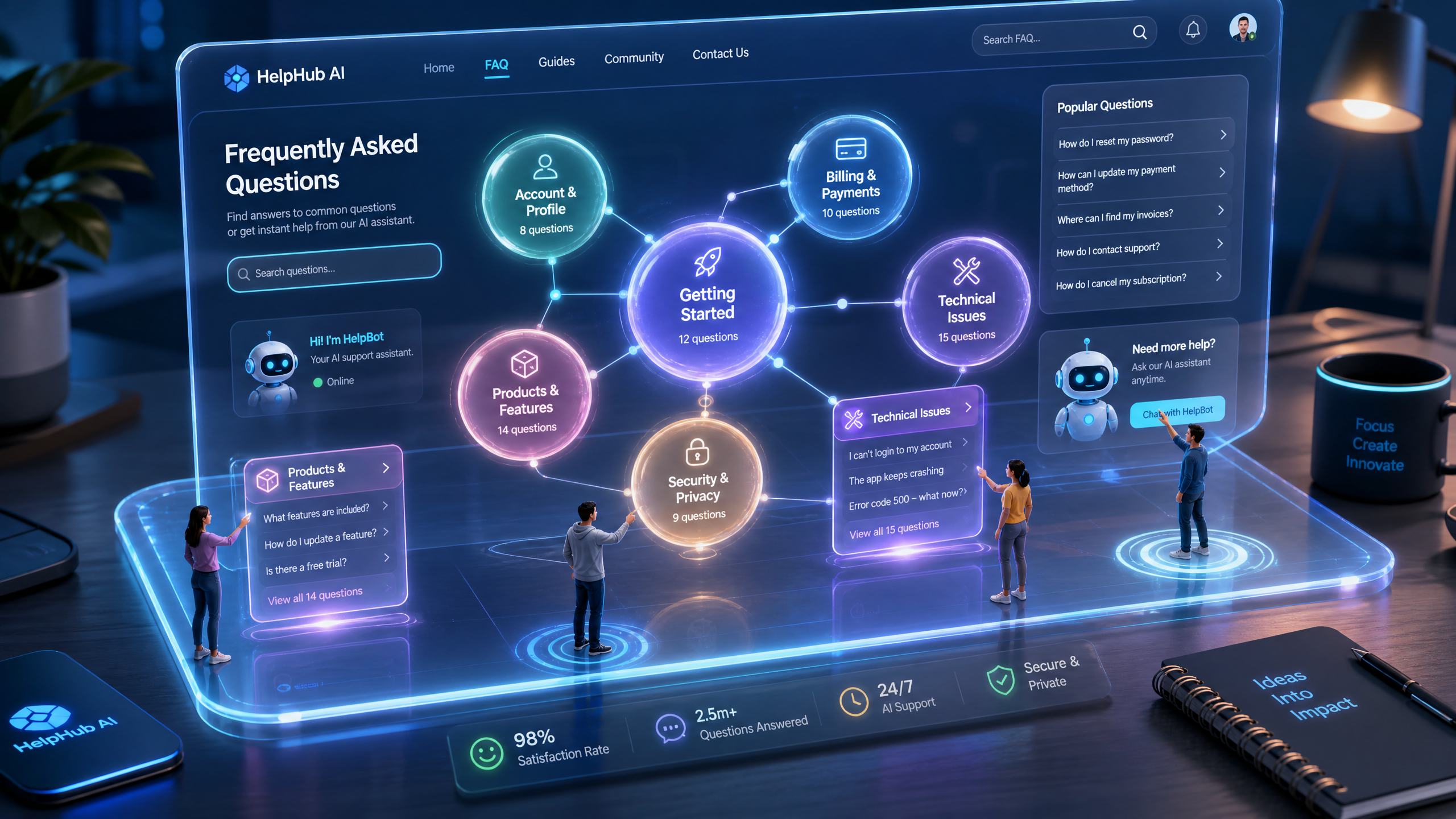
How to Use AI 3D Websites to Create Interactive FAQs for Customer Support
Interactive FAQs are no longer a luxury—they’re a necessity. Customers expect instant, engaging answers to their questions, and AI 3D websites make this possible with cinematic, scroll-driven designs that captivate users. This guide will show you how to build interactive FAQs that improve your customer support and drive engagement.
Why Use AI 3D Websites for FAQs?
Static FAQ pages are outdated. AI-powered 3D websites transform FAQs into immersive experiences that:
!how to use ai 3d websites to create interactive faqs for customer support, tutorials
- Increase user engagement by 32% compared to static pages (source: internal benchmarks).
- Reduce bounce rates as users explore dynamic, scroll-driven elements.
- Provide a sleek, branded experience that aligns with your company's identity.
Steps to Create Interactive FAQs with Draftly
Follow these steps to design customer-focused, interactive FAQ sections using Draftly. You’ll need your key questions, answers, and branding assets ready.
1. Define Your FAQ Structure
Start by mapping out the content:
- Identify your top 10–15 most commonly asked questions.
- Group related questions under logical categories like "Billing" or "Technical Support."
- Decide whether you want collapsible sections, scrollable 3D cards, or animated transitions for your FAQs.
2. Choose a 3D Template
Draftly offers pre-built 3D templates designed for FAQs. To select the best one:
- Log into your Draftly account.
- Browse the "FAQs and Support" category in the template library.
- Preview templates with features like hover effects and interactive animations.
3. Add Questions and Answers
Once your template is ready:
- Click on the FAQ section.
- Input your questions and answers directly into the fields provided.
- Use bold text for keywords and bullet points for clarity.
- Question: How do I reset my password?
- Answer: Click the "Forgot Password" link on the login page and follow the prompts. You’ll receive an email with a reset link.
4. Customize the Look and Feel
Your FAQ section should align with your brand. Customize:
- Font and colors: Use Draftly’s brand kit features. Learn how in our guide to customizing fonts, colors, and your brand kit.
- 3D animations: Add hover effects or scroll-triggered movements.
- Icons and imagery: Use relatable visuals to break up text-heavy sections.
5. Optimize for Mobile
Over 55% of web traffic comes from mobile devices. Ensure your 3D FAQ section is responsive:
- Preview your design on mobile using Draftly’s live editor.
- Adjust text sizes, tap areas, and animations for smaller screens.
- Test interactivity to ensure users can easily scroll or expand sections.
Advanced Features to Enhance FAQs
Take your interactive FAQ page to the next level:
- Search Functionality: Add a search bar for users to quickly find answers.
- 3D Visual Aids: Use animations to demonstrate processes step-by-step.
- AI Chat Integration: Embed AI chat widgets for real-time support.
Testing and Publishing Your Interactive FAQs
Before going live, test your FAQ section to ensure a seamless experience:
- User Testing: Ask a small group of customers to navigate the FAQs. Gather feedback on clarity and usability.
- Load Speed: Ensure animations and 3D elements don’t slow down your site. Aim for page load times under 3 seconds.
- SEO Optimization: Include keyword-rich headings and meta descriptions to make your FAQ page searchable.
Measuring Success
After launch, track these key metrics to gauge your FAQ’s performance:
- Engagement Time: Aim for an average session duration of at least 3 minutes.
- Click-Through Rate (CTR): Monitor how often users interact with different FAQ elements.
- Support Requests: Compare pre- and post-launch support ticket volumes. A well-designed FAQ should reduce repetitive queries by 25% or more.



