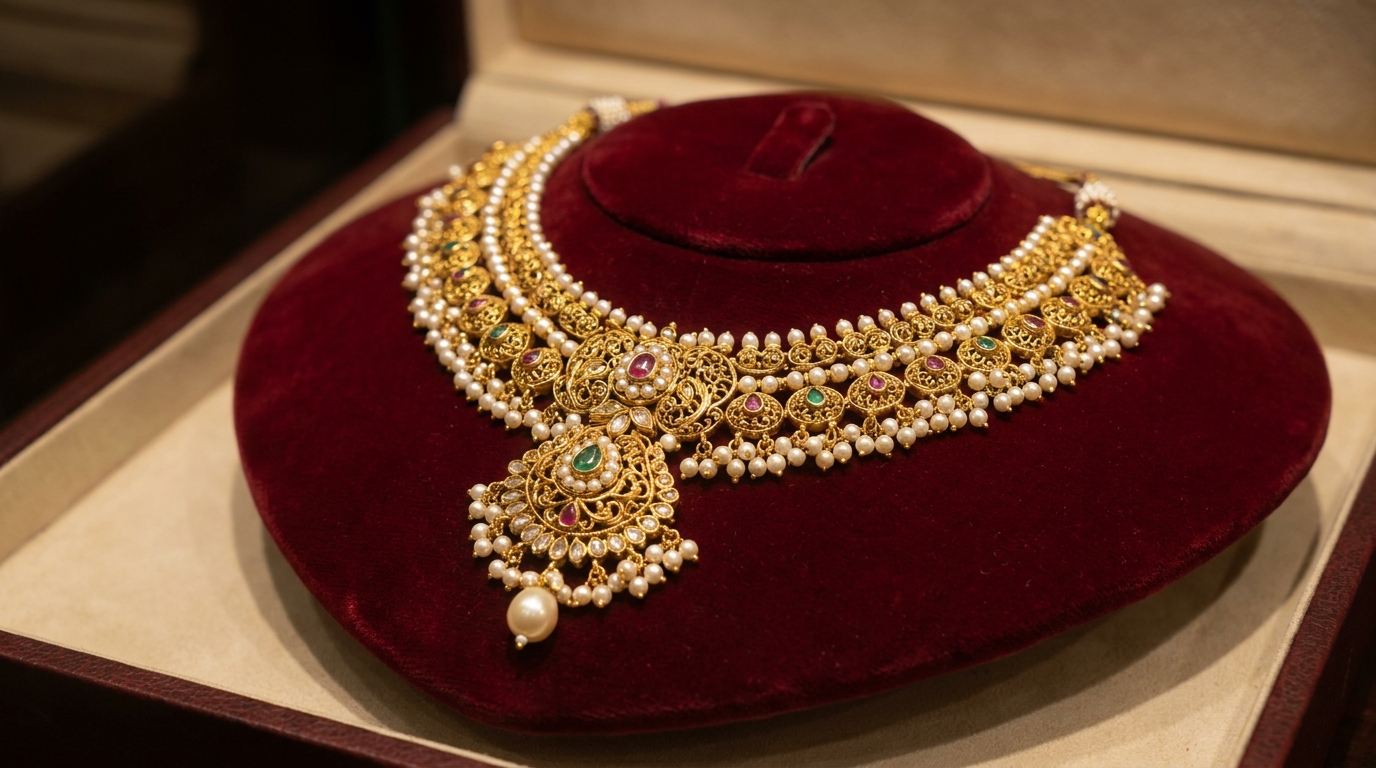
Step-by-Step Guide to Designing a 3D Product Showcase for Indian Handmade Jewelry Brands
Indian handmade jewelry is known for its intricate designs and craftsmanship, making it essential to showcase these products in a way that captivates buyers. A 3D product showcase is the perfect solution to elevate your brand and drive online sales. Here’s how to design one step-by-step using tools like Draftly.
Why Choose 3D Product Showcases for Jewelry?
3D showcases bring jewelry to life, allowing buyers to zoom, rotate, and view intricate details. This immersive approach enhances buyer confidence and can reduce return rates by up to 40%. Draftly E-Commerce Product Pages make it simple to integrate such features.
!stepbystep guide to designing a 3d product showcase for indian handmade jewelry, tutorials
- Visual storytelling: Highlight the craftsmanship with detailed 3D renders.
- Buyer interaction: Let customers explore products from every angle.
- Increased trust: Show authenticity by replicating real-world textures accurately.
Step 1: Define Your Brand and Audience
Before jumping into design, clarify your branding and target audience. Who are you selling to? Millennials searching for trendy handmade jewelry or collectors looking for traditional designs?
Sub-section: Brand Kit Essentials
Ensure consistency by customizing your fonts, colors, and logo. Tools like Draftly’s Brand Kit Customization provide a seamless way to reflect your brand identity.
- Select colors that evoke luxury, tradition, or sustainability.
- Use fonts that match your storytelling style (e.g., elegant serif fonts for heritage jewelry).
- Upload your logo and ensure it aligns with your homepage aesthetics.
Step 2: Build a Scroll-Driven Layout
Scroll-driven websites guide users through a visual journey, perfect for showcasing jewelry collections. Draftly’s Scroll-Triggered Animations can add subtle transitions to highlight each piece.
- Use parallax scrolling to create depth and movement.
- Divide sections by collection type (e.g., bridal, casual, heritage).
- Add interactive hotspots to explain design details (e.g., gemstone origin).
Sub-section: Optimize Scroll Speed
A smooth scrolling experience keeps visitors engaged. Follow these steps:
- Test scroll animations for mobile responsiveness.
- Set animation speeds to match user behavior (not too fast or slow).
- Use Core Web Vitals benchmarks to ensure fast load times.
Step 3: Create High-Quality 3D Models
Jewelry requires precision. Use AI-powered tools to generate realistic 3D models of your products. Draftly AI Image Generation simplifies the process by blending real photos with 3D renders.
- Textures: Highlight gold, silver, and gemstone surfaces.
- Lighting: Use soft shadows and highlights to mimic studio photography.
- Interactivity: Enable zoom and rotation for detailed exploration.
Step 4: Add Calls-to-Action (CTAs)
Guide users toward conversion with strategically placed CTAs. For example:
- "View in 360°" button to explore designs.
- "Add to cart" CTA under each product.
- "Book a virtual consultation" for personalized recommendations.
Sub-section: Use CTA Color Psychology
Colors influence behavior. For handmade jewelry:
- Use gold for luxury and exclusivity.
- Green shades for eco-conscious collections.
- Red for urgency during festive campaigns.
Step 5: Publish and Test Your Website
Once your design is ready, publish and test the site for responsiveness and load speed.
- Use Draftly’s One-Click Publish to make your website live.
- Test on mobile and desktop to ensure seamless navigation.
- Run analytics using Draftly Analytics to track visitor behavior.



