Draftly Tips for Creating Dynamic Event Registration Pages for Indian Conferences
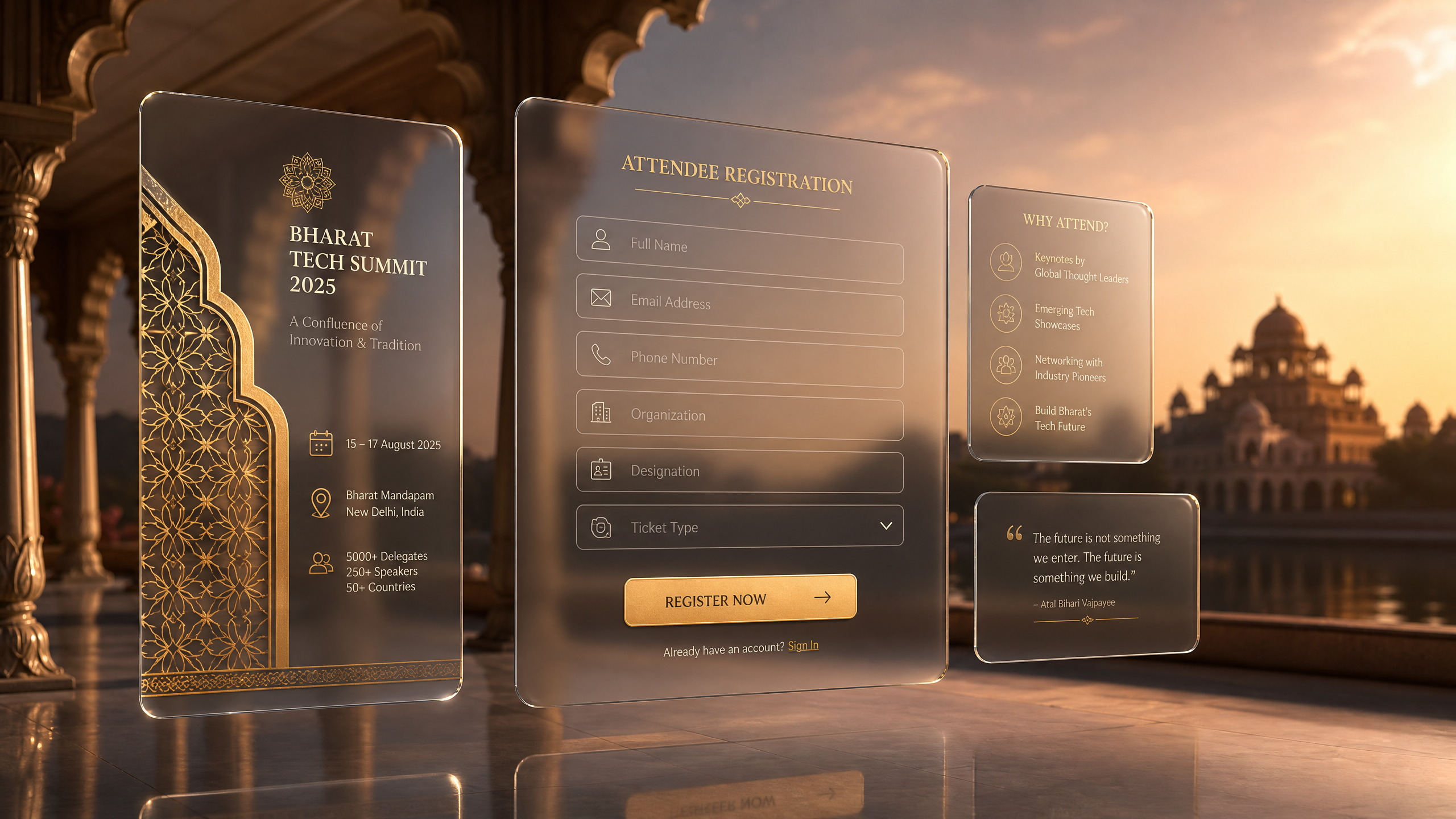
Creating dynamic event registration pages for Indian conferences requires more than just a standard form; it demands an immersive experience that captures attendee interest instantly. With digital-first event attendance growing by approximately 22% annually in India, your landing page is often the first and only point of contact for potential delegates. By leveraging Draftly Section Library: Every Block and When to Use It, you can move beyond static layouts to build cinematic, 3D registration hubs that drive higher conversion rates.
Designing High-Conversion Event Registration Pages
Indian professionals are increasingly tech-savvy, expecting websites that mirror the quality of global SaaS platforms. A successful event registration page must balance visual impact with clear, frictionless navigation. Use Draftly Page Transitions and Section Animations: A Design Guide to guide users through the registration flow, making the process feel like a curated journey rather than a tedious task.
!draftly tips for creating dynamic event registration pages for indian conferences, product
- Hero Sections: Use high-definition, AI-generated backgrounds to establish the theme of your conference.
- Social Proof: Incorporate dynamic testimonial sliders to display speaker endorsements or past attendee feedback.
- Simplified Forms: Keep your input fields to the absolute minimum to reduce drop-off rates during the sign-up process.
Optimizing Registration Pages for Indian Audiences
When targeting participants across different Indian states, visual cues and accessibility are paramount. According to recent industry data, mobile-first design is critical in India, where over 85% of traffic comes from smartphones. Ensure your registration pages are optimized for varying network speeds, as slow-loading sites can cost you up to 40% of your potential registrations. You can refine your How to Customise Fonts, Colors and Your Brand Kit in Draftly to ensure that your brand identity remains consistent across all devices, fostering trust with high-value corporate delegates.
Implementing 3D Visual Storytelling
Instead of listing speakers in a boring grid, use 3D elements to create depth and interest. A 3D-enabled page provides a premium feel that distinguishes your event from the sea of standard webinar landing pages. This visual differentiation is particularly effective for large-scale Indian trade exhibitions where standing out is essential for sponsorship success.
Leveraging AI for Faster Deployment
Time is the most valuable resource when organizing conferences. Utilizing Using AI Image Generation in Draftly: Get the Best Results allows your team to generate custom, on-brand graphics in minutes rather than days. This efficiency ensures that you can pivot your marketing materials instantly if a speaker lineup changes or if you need to run A/B tests on different registration headlines.
Driving Attendance Through Data-Driven Design
Building an event registration page is not a one-time task; it is an iterative process. By monitoring how users interact with your 3D elements, you can refine your layout to maximize sign-ups. If you are also managing a broader event strategy, ensure you are How to Build a 6-Month Content Calendar for SEO to keep your audience engaged leading up to the conference date.
- Analyze: Monitor which sections of the page have the highest scroll depth using heatmaps.
- Iterate: Swap out low-performing call-to-action buttons for more compelling, high-contrast alternatives.
- Engage: Use automated email follow-ups for those who started the registration but did not complete it.


