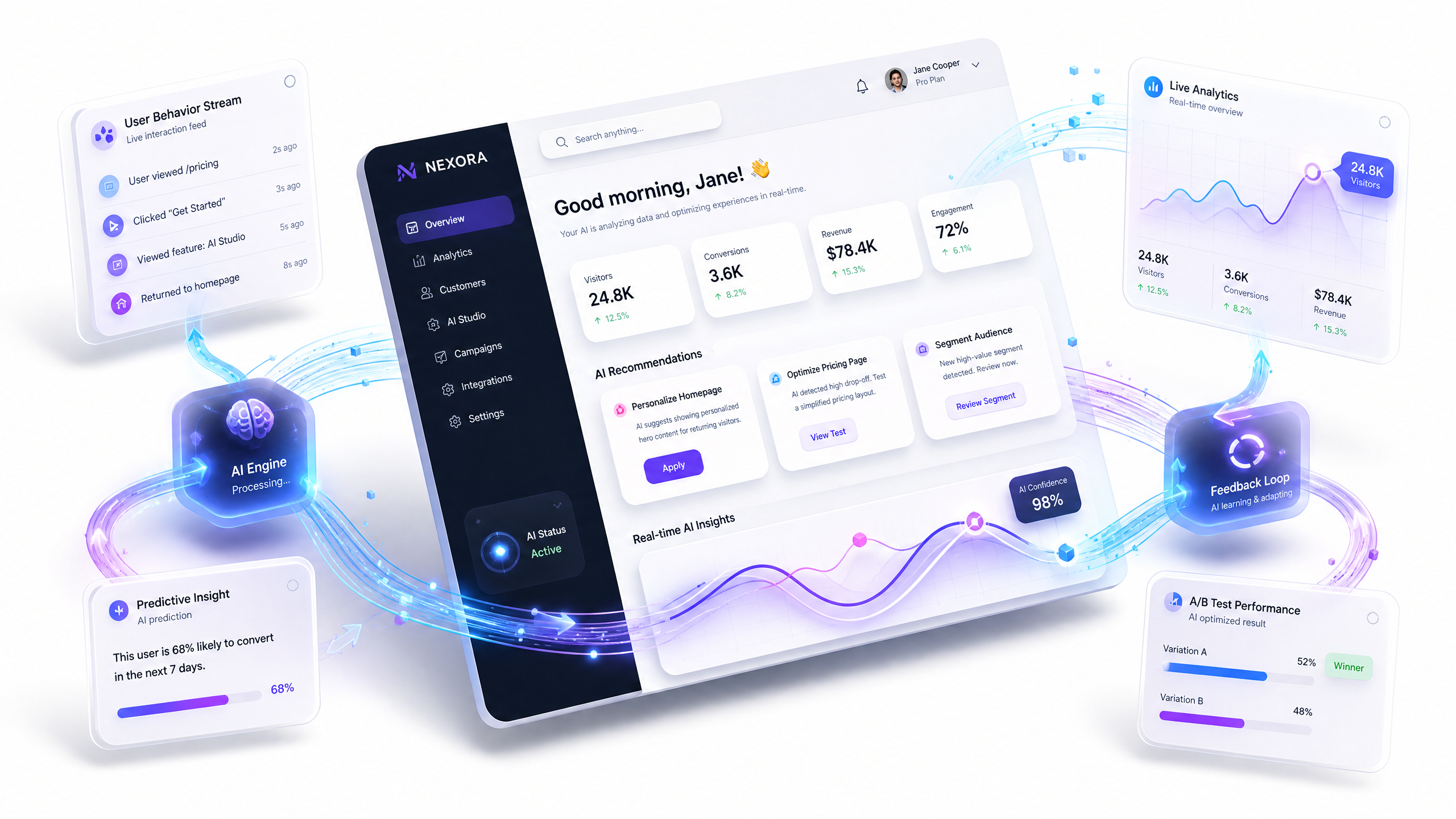
Leveraging AI-Driven 3D Websites for Real-Time Feedback Loops
AI-driven 3D websites are revolutionizing UX design by enabling real-time feedback loops that adapt to user behavior instantly. With tools like Draftly, you can collect actionable insights, iterate faster, and deliver cinematic experiences that keep users engaged. Here’s how you can leverage these technologies effectively.
What Are Real-Time Feedback Loops?
A real-time feedback loop is a continuous process of collecting user interactions, analyzing data, and implementing changes to improve user experience (UX). AI-driven 3D websites streamline this process by automating data collection and providing insights within moments.
!leveraging aidriven 3d websites for realtime feedback loops, product
- Real-time feedback reduces UX improvement cycles by up to 40%, according to a Nielsen Norman Group study.
- Companies leveraging real-time data see a 10%–20% increase in user engagement on average.
- For example, e-commerce sites using AI tools like Draftly E-Commerce Product Pages saw a 15% boost in conversions by optimizing product layouts based on live user interactions.
How AI Powers Real-Time Feedback on 3D Websites
AI technology is the backbone of real-time feedback loops. Here’s how it works:
- Data Collection: AI algorithms track user interactions such as clicks, scrolls, and time spent on each section of the site.
- Analysis: Machine learning models analyze patterns to identify pain points, drop-off areas, and high-engagement zones.
- Actionable Insights: AI suggests design changes, content updates, or even automated A/B testing setups.
AI-Driven Tools to Use
- Heatmaps: Visualize user engagement across your 3D site.
- Behavioral Analytics: Tools like Draftly’s Analytics dashboard identify trends in scrolling and clicking behavior.
- Dynamic Personalization: AI adjusts content in real-time, such as recommending products based on browsing history.
Benefits of Real-Time Feedback Loops for UX Design
Integrating real-time feedback into your AI-driven 3D website offers several key advantages:
- Faster Iteration: Real-time insights reduce the time between identifying an issue and implementing a solution.
- Enhanced User Engagement: Tailored experiences can increase engagement by up to 30%, according to research by Adobe.
- Data-Driven Decisions: Remove guesswork by relying on hard data to guide design updates.
- Increased ROI: Optimizing UX translates directly into higher conversion rates and customer retention.
How to Implement Real-Time Feedback in Your 3D Website
Step 1: Set Clear Goals
Before diving in, define your objectives. Are you aiming to increase session duration, reduce bounce rates, or improve form conversions? For example, Draftly Forms can help you capture leads more effectively.
Step 2: Choose the Right Metrics
Track key performance indicators (KPIs) relevant to your goals. For instance:
- Engagement Rates: Measure clicks, hover times, and scroll depth.
- Conversion Rates: Monitor how many visitors complete desired actions.
- Heatmap Data: Identify hotspots and dead zones on your site.
Step 3: Use AI-Driven Tools for Analysis
Tools like Draftly’s built-in analytics can provide real-time data on user behavior. Combine this with AI-driven forms and surveys to gather direct user feedback.
Step 4: Test and Iterate
- Use A/B testing to compare different design elements.
- Implement small, data-backed changes.
- Monitor the results and adjust as needed.
Step 5: Personalize the Experience
Leverage AI to dynamically adapt your website’s content and design for different user segments. For example, 3D subscription portals can drive user retention by tailoring content to individual preferences.
Real-World Examples of Success
- E-commerce Optimization: A retail site using Draftly’s AI tools improved its product page conversion rates by 20% after analyzing real-time heatmaps and adjusting image placements.
- Education Portals: By creating immersive 3D campus tours, one Indian school increased student inquiries by 35% within three months.
- Healthcare Websites: Clinics using 3D interactive health tracking pages reported a 25% rise in patient engagement through real-time adjustments to navigation tools.
Challenges in Implementing Real-Time Feedback Loops
While the benefits are clear, there are challenges to consider:
- Data Overload: Too much data can overwhelm teams. Use tools like Draftly Analytics to filter actionable insights.
- Analysis Paralysis: Without clear goals, teams may struggle to prioritize changes.
- Resource Allocation: Continuous improvement requires commitment from design and development teams.


