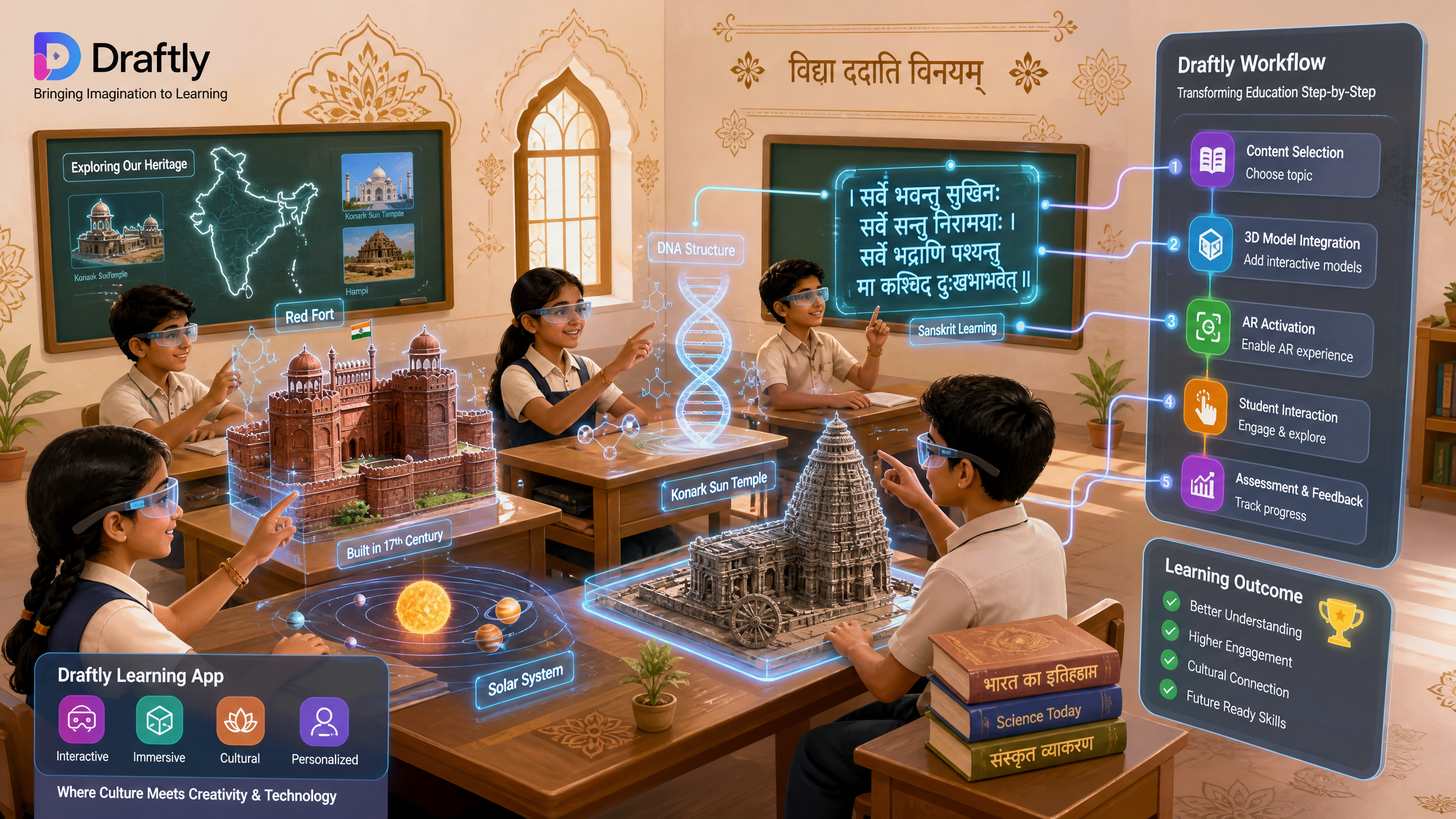
Integrating AR Features in Draftly for Indian Educational Apps
The Indian educational landscape is ripe for innovation, with Augmented Reality (AR) emerging as a powerful tool to enhance learning. This comprehensive guide will walk you through integrating AR features in Draftly for your Indian educational apps, enabling you to create cinematic, scroll-driven websites that captivate and educate. With India's digital education market projected to reach $10 billion by 2025, leveraging cutting-edge technologies like AR can significantly boost engagement and learning outcomes.
Why Augmented Reality is a Game-Changer for Indian Education
Augmented Reality (AR) overlays digital information onto the real world, enhancing learning by making abstract concepts tangible and interactive. For Indian educational apps, this means transforming traditional textbooks into dynamic, exploratory experiences. Imagine students in a remote village exploring the human anatomy in 3D right on their desk, or interacting with historical monuments from their classroom.

Recent data highlights AR's growing influence: a 2023 report indicated that over 60% of K-12 educators globally believe AR can significantly improve student engagement. In India, where access to high-quality educational resources can vary, AR bridges gaps by offering rich, visual content that transcends geographical limitations. It addresses diverse learning styles, making education more inclusive and effective across different regions and languages.
The Current Landscape and Future Potential
The National Education Policy (NEP) 2020 in India emphasizes experiential learning and digital integration. AR aligns perfectly with this vision, moving beyond passive consumption to active participation. While 3D AI websites are already modernizing Indian educational apps, AR takes it a step further, immersing students directly into the learning material. This shift can lead to higher retention rates and a deeper understanding of subjects, from science and history to vocational training.
* Enhanced Engagement: AR experiences can increase student attention spans by up to 85% compared to static content.
* Improved Comprehension: Visualizing complex concepts in 3D helps students grasp difficult topics more easily.
* Accessibility: AR can provide virtual field trips or lab experiments to students who might not otherwise have access.
* Personalized Learning: Adaptive AR content can cater to individual student progress and interests.
Preparing Your Assets for AR Integration in Draftly
Before you begin integrating AR features in Draftly, careful preparation of your 3D assets and educational content is crucial. High-quality models and optimized media ensure a smooth, immersive experience for your users. The goal is to create rich, interactive elements that enhance, rather than distract from, the learning objectives.
Content Creation and Optimization
Creating compelling AR experiences starts with well-designed 3D models and interactive elements. These assets need to be optimized for web performance, especially considering varying internet speeds across India. Tools like Blender or SketchUp are excellent for creating 3D models, which should then be exported in web-friendly formats such as GLB or USDZ.
- Model Creation: Design your 3D educational models (e.g., historical artifacts, biological structures, mathematical concepts) with detail and accuracy. Consider the target age group and learning objectives.
- Texture & Material Application: Ensure textures are high-resolution but optimized for file size. PBR (Physically Based Rendering) materials offer realistic visual fidelity.
- Optimization: Reduce polygon count without losing essential detail. Compress textures and media files. Aim for models under 5MB for optimal loading on mobile devices, which account for over 80% of internet usage in India.
- Annotation & Interactivity: Plan how students will interact with the AR model. Will there be clickable hotspots revealing information? Animations demonstrating processes? These interactive elements should be defined during the design phase.
- Draftly Asset Management: Upload your optimized 3D models and associated media directly into Draftly's asset library. Draftly automatically handles some optimization, but pre-optimization is always recommended for the best results. Managing Media and Files in Draftly: Upload, Organise, and Optimise can guide you through this process.
Step-by-Step: Integrating AR Features in Draftly
Integrating AR features in Draftly involves leveraging its intuitive AI-powered builder alongside specialized AR components. Draftly's cinematic, scroll-driven interface provides a perfect canvas for interactive educational content. This process is designed to be accessible even for those without extensive coding knowledge.
- Start with a New Draftly Project: Begin by creating a new website project within Draftly. You can use a prompt relevant to your educational app's theme, for example, "A cinematic website for an Indian history app featuring ancient monuments."
- Add a 3D Section: Navigate to the section where you want to introduce an AR experience. From the Draftly Section Library, select a 3D-enabled block. These blocks are designed to seamlessly integrate 3D models and interactive elements into your scroll-driven narrative.
- Upload Your AR-Ready Model: In the selected 3D section, upload your pre-optimized GLB or USDZ 3D model. Draftly's interface will guide you through this, allowing you to preview the model directly within the builder. Ensure your model is correctly scaled and positioned.
- Configure AR Properties: Within Draftly's 3D panel, locate the AR settings. Here, you can define:
- Implement Scroll-Driven Interactions: Leverage Draftly's core strength – scroll-driven animations. As a user scrolls, your AR model can animate, rotate, or reveal new layers of information. For instance, scrolling could dissect a plant cell in AR, showing its different organelles. Draftly Page Transitions and Section Animations: A Design Guide can help you master these visual effects.
- Test Across Devices: Crucially, test your AR-enabled website on various mobile devices (Android and iOS) to ensure compatibility and performance. AR experiences are heavily reliant on device capabilities and browser support. Pay close attention to loading times and responsiveness, especially for users in areas with slower internet connections. Consider Optimizing 3D AI Websites for Mobile Users in India's Rural Areas for best practices.
Optimising User Experience and Performance for Indian Audiences
For Indian educational apps, user experience and performance are paramount. A significant portion of the Indian audience accesses content via mobile devices, often with varying internet speeds. Optimizing your Draftly site for these conditions ensures your AR features are truly impactful.
* Mobile-First Design: Always prioritize how your AR content appears and performs on mobile. Ensure touch interactions are intuitive and models load quickly. Responsive design is not merely a feature, it's a necessity.
* Bandwidth Considerations: Offer lower-resolution alternatives for 3D models or compressed textures for users on slower networks. Implement lazy loading for AR assets so they only load when needed.
* Localization: Translate your educational content and AR annotations into regional Indian languages where appropriate. This significantly enhances accessibility and engagement for diverse student populations. Draftly supports multilingual content creation.
* Clear Instructions: Provide simple, clear instructions on how to activate and interact with AR experiences. Not all users will be familiar with AR technology.
* Feedback Loops: Incorporate mechanisms for user feedback to continually improve your AR content. Understanding how students interact with and perceive the AR features can provide valuable insights for future iterations.
The Future of Interactive Learning: Beyond AR
While AR is a powerful step, the future of interactive learning in India extends further. Imagine educational apps utilizing AI-driven adaptive learning paths, personalized 3D virtual tutors, or collaborative AR experiences where students from different states can learn together in a shared virtual space. Draftly's foundation as an AI 3D website builder positions it perfectly to evolve with these trends, offering a platform that can integrate increasingly sophisticated interactive technologies. The potential for Building 3D Virtual Libraries for Indian Educational Institutions is immense, offering students access to vast resources in engaging formats.
By embracing Draftly's capabilities for interactive 3D and AR, Indian educational app developers can create truly transformative learning experiences. These experiences are not just visually appealing; they are designed to foster deeper understanding, critical thinking, and a lifelong love for learning.
Ready to revolutionize your educational app's online presence with immersive AR experiences? Explore Draftly today and transform your ideas into cinematic, scroll-driven websites that educate and inspire.



