Glassmorphism in Web Design: How to Use It Without Going Overboard
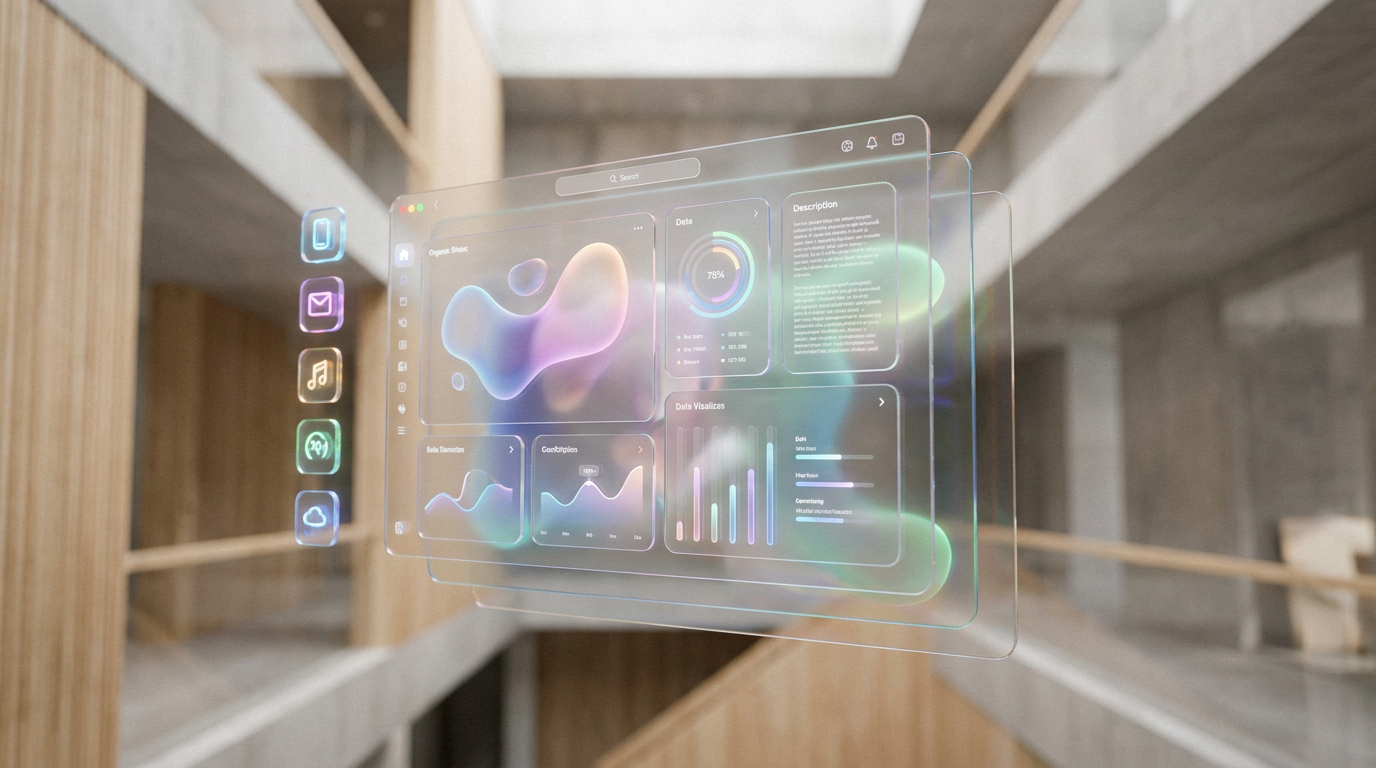
Glassmorphism is more than just a fleeting design trend; it's a sophisticated technique that adds tangible depth and visual hierarchy to a user interface. Since its popularization in interfaces like macOS Big Sur and Windows 11, searches for glassmorphism in web design have spiked over 300%, signaling a massive shift towards more layered, dimensional digital experiences. This style mimics the effect of looking through frosted glass, blurring the background to bring focus to the foreground element.
But with great power comes great responsibility. When used incorrectly, glassmorphism can create a messy, illegible user experience that harms accessibility and slows down your site. This guide breaks down the core principles of glassmorphism, the dos and don'ts of implementation, and how to use it to create a modern, elegant website that feels both light and intentional.
What Defines the Glassmorphism Effect?
Glassmorphism isn't just one setting; it's a combination of four key visual layers working in harmony. Getting the balance right is what separates a professional design from an amateurish one.
!glassmorphism in web design how to use it without going overboard, product
1. Transparency and Background Blur
The most critical element is the frosted-glass effect, typically achieved with a CSS `backdrop-filter: blur()` property. This isn't simple opacity; it selectively blurs whatever is behind the element. A blur radius between 10px and 20px usually hits the sweet spot, creating a noticeable effect without turning the background into an unrecognizable mush.2. A Multi-Layered Structure
This effect thrives on depth. To truly appreciate the transparency, you need elements to be floating on different z-axis planes. This creates a sense of physical space, guiding the user's eye through the interface. The most prominent, top-layer elements feel closer, while the blurred background provides context without distraction.3. A Subtle, 1px Border
To prevent the blurred element from melting into the background, a subtle, semi-transparent white border is essential. This 1px border catches the light, defining the edges of the “glass” pane. It’s a small detail that significantly improves usability, especially for users with visual impairments, by clearly defining the element's shape.4. A Vivid, Colorful Background
Glassmorphism falls flat on a plain or monochrome background. The effect is most dramatic when placed over a background with varied colors and shapes. Bright gradients, abstract aurora-like visuals, or even a high-quality photograph allow the blur and transparency to truly shine. For best results, consider using AI image generation in Draftly to create the perfect vibrant backdrop that complements your brand.The Rules of Restraint: Best Practices for Glassmorphism
Applying a frosted-glass effect everywhere is a recipe for disaster. Strategic, thoughtful implementation is key. Our internal design audits show that websites using glassmorphism on more than 30% of their screen real estate often suffer from poor readability and a cluttered feel.
DO: Use it Sparingly for Key UI Elements
Glassmorphism is best reserved for elements that function as containers or overlays. Think about using it for: * Navigation headers or sidebars * Modal popups and confirmation dialogs * Profile cards or product feature blocks * Dashboard widgetsThis selective application enhances the user interface without overwhelming it.
DON'T: Neglect Accessibility & Contrast
This is the number one mistake designers make. Text on a glassmorphic surface can easily become unreadable if the background is too busy or the contrast is too low. * Check Contrast Ratios: Always ensure your text meets WCAG 2.1 guidelines (a contrast ratio of at least 4.5:1 for normal text). Use an online contrast checker against various sections of your background. * Add Inner Shadows/Glows: A subtle, dark inner shadow on your text can help it stand out against a light background, and vice-versa. * Don't Forget the Border: That 1px border is crucial for helping users distinguish the element's boundaries.DO: Prioritize Performance
The `backdrop-filter` property that creates the blur effect can be computationally expensive for browsers. Using it on dozens of elements, especially animated ones, can lead to lag and a poor user experience.To avoid this, limit its use to a few key, largely static elements. At Draftly, we've engineered our platform to ensure that visual effects are implemented efficiently, helping you get a 90+ PageSpeed score. You can learn more in our Draftly Site Speed Optimisation guide.
DON'T: Make the Element Too Transparent
It's tempting to crank up the transparency to show off your beautiful background, but this kills legibility. The content on the glass is more important than the content behind it. A background with 70-85% opacity (or 15-30% transparency) is usually a safe range. It provides the glassy feel while keeping the content on top crisp and clear.The Future is Layered: Glassmorphism and 3D Web Design
Glassmorphism is more than a trend; it's a stepping stone toward the future of web interfaces. It naturally complements the immersive, cinematic experiences that define modern web design. When you combine a glassmorphic UI with scroll-driven animations and 3D models, you create a truly engaging and memorable experience.
This aesthetic is a core reason why 3D websites are the next frontier for brand differentiation. The layered approach of glassmorphism provides the perfect foundation for placing 3D objects and creating parallax effects that give your website a sense of real-world depth.
While the CSS can be tricky to perfect across all browsers, AI website builders are making this level of sophistication accessible to everyone. In Draftly, you can apply these complex visual styles and customise fonts, colors, and your brand kit without ever writing a line of code, letting you focus on the creative vision for your site.
Ready to build a stunning, modern website with layered effects and cinematic motion? Generate your 3D website with a single prompt on Draftly today.


