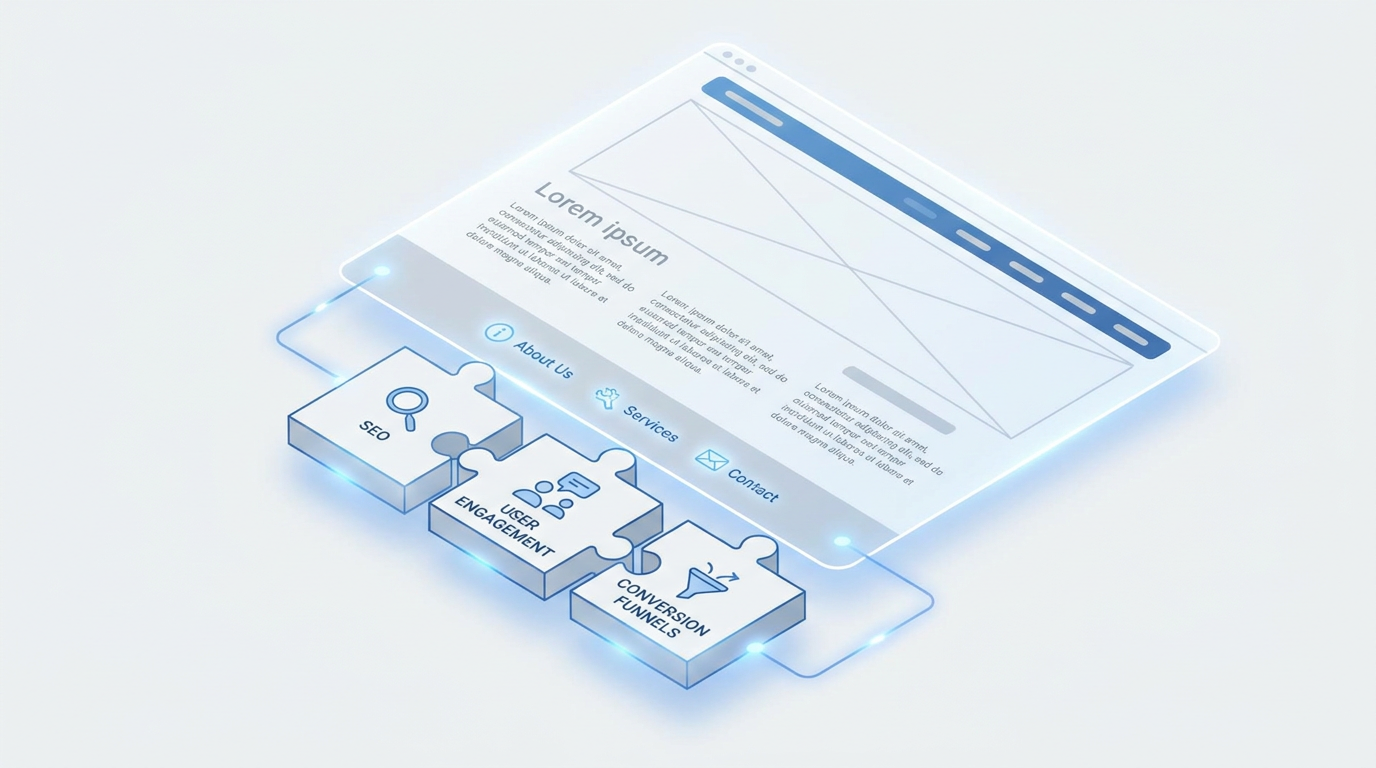
The website footer, often relegated to an afterthought, is far more than just a space for copyright notices. It's a strategic area that can significantly influence your site's search engine optimization (SEO), enhance user experience (UX), and even drive conversions. Ignoring its potential means leaving valuable digital real estate untapped. Data suggests that while users spend most of their time above the fold, a significant percentage, often around 20-30%, will scroll to the footer looking for specific information like contact details or legal policies. For Draftly users, understanding how to leverage this section is key to building a high-performing 3D website.
The Strategic Importance of Your Website Footer
Think of your footer as the final handshake with your visitor. It's their last opportunity to find what they need or take a desired action before leaving your site. A well-designed footer acts as a safety net, catching users who couldn't find information elsewhere and providing essential links for both search engines and human visitors.
!website footer design seo, ux, conversion best practices, product
Modern website design, especially with immersive experiences, demands that every element serves a purpose. A cluttered or irrelevant footer can detract from your brand, while a thoughtful one can reinforce trust and guide users deeper into your site. It's not just about compliance; it's about intelligent design.
Website Footer Design for SEO: Boosting Visibility
Your footer is a silent workhorse for SEO. It consistently appears on every page, offering a prime spot for internal linking and essential information that search engines value. However, it's crucial to use it wisely, avoiding tactics that could be seen as manipulative.
Essential SEO Elements for Your Footer
- Secondary Navigation: While primary navigation is at the top, the footer can house secondary links to important, but not top-tier, pages. This could include categories, services, or blog archives. This helps distribute 'link juice' across your site and ensures all critical pages are discoverable.
- Legal & Policy Links: Crucial for trust and compliance, links to your Terms of Service and Privacy Policy should always be in the footer. This signals to search engines that your site is legitimate and transparent.
- Contact Information: Full business name, address, and phone number (NAP data) are vital, especially for local SEO. Ensure this information is consistent with your Google Business Profile. Google often uses this for entity recognition and local search rankings.
- Copyright Information: Always include a current copyright year (e.g., © 2024 Draftly). This prevents content scraping and establishes ownership.
- XML Sitemap Link: While primarily for search engine bots, a direct sitemap link in the footer can sometimes help discovery for deeply nested pages.
- Structured Data (Schema Markup): Embed organizational schema in your footer to tell search engines precisely what your business is, its contact details, and social profiles. This can improve your chances of appearing in rich results.
SEO Pitfalls to Avoid
* Keyword Stuffing: Don't cram a list of keywords into your footer. Google is smart enough to detect this and it can harm your rankings.
* Excessive, Irrelevant Links: Every link should serve a purpose. A footer overflowing with dozens of unnecessary links dilutes their value and can make your site appear spammy.
* Hidden Text: Attempting to hide text or links in the footer using tiny fonts or matching colors is an outdated black-hat SEO tactic that will result in penalties.
Elevating User Experience (UX) with a Thoughtful Footer
A positive user experience keeps visitors on your site longer and encourages them to explore. The footer plays a key role in making information accessible and building confidence.
Guiding Users with Navigation & Accessibility
Users often scroll to the footer when they're looking for something specific they couldn't find in the main navigation or are at the end of their journey on a page. A clear, logically grouped footer navigation can significantly improve their experience.
* Structured Sections: Group links under clear headings like "Company," "Services," "Resources," and "Connect." This makes scanning easy.
* Accessibility: Ensure your footer text has sufficient contrast, is legible on all devices, and is navigable via keyboard. Remember, a large percentage of users access websites on mobile devices, so adhering to mobile-first design principles is paramount.
* Quick Links: Offer shortcuts to common user needs, such as FAQs, careers, or a blog.
Building Trust and Credibility
Trust is a cornerstone of online success. Your footer can subtly reinforce your brand's legitimacy.
* Clear Contact Information: Beyond SEO, this is a direct trust signal. Users want to know they can easily reach you.
* Social Media Profiles: Linking to your social media profiles provides additional avenues for engagement and builds a holistic brand presence. Studies show that businesses with active social media often appear more trustworthy.
* Affiliations/Certifications: If your business has industry certifications, awards, or important affiliations, small logos or text links in the footer can boost credibility. For example, an e-commerce site might display payment processor logos.
* Privacy Policy & Terms: Reaffirming the presence of these pages reassures users about data handling and site rules.
Driving Conversions Through Your Footer
While often subtle, the footer can be a powerful conversion tool. It's where hesitant users might make a final decision or take a low-commitment action.
Strategic Calls to Action (CTAs)
Don't just fill your footer with links; consider adding a strategic call to action. This isn't about aggressive selling, but about offering a clear next step.
* Newsletter Sign-Up: A simple email capture form for a newsletter is a low-friction way to engage visitors who aren't ready to buy but want to stay informed. Many sites see a 5-10% increase in sign-ups when a prominent footer CTA is present.
* "Get a Quote" / "Contact Us": For service-based businesses, a direct link or a mini-form to request information can be highly effective.
* "View All Products" / "Shop Now": For e-commerce, this can act as a final nudge for browsers to explore your offerings.
Remember, effective CTAs are clear, concise, and visually distinct.
Subtle Social Proof and Engagement
Beyond direct CTAs, you can use the footer to subtly encourage further engagement.
* Testimonials/Reviews Link: A link to a dedicated testimonials page or a platform like Trustpilot can provide social proof without cluttering the main content.
* Mini-Blog Roll: A small section showcasing your latest blog posts can drive traffic to content and establish authority.
Crafting Your Draftly Footer for Success
With Draftly, you have the flexibility to create a powerful and visually appealing footer. Here are some specific tips:
* Keep it Clean: Draftly's AI-powered builder prioritizes clean design. Avoid overwhelming the footer with too much information. Focus on essential categories.
* Consistency is Key: Ensure your footer's design, including fonts and colors, aligns with your overall brand kit. This maintains a professional and cohesive look across your entire site.
* Mobile-First Design: Always preview your footer on mobile devices. What looks good on a desktop might be cramped or unreadable on a smartphone. Draftly automatically optimizes for responsiveness, but a manual check is always recommended.
* Use Sections Wisely: Leverage Draftly's section library to create distinct blocks within your footer for navigation, contact, and legal information. This improves scanability and organization.
Your website footer is a powerful tool for guiding users, boosting your SEO, and subtly driving conversions. By approaching its design strategically, rather than as an afterthought, you can significantly enhance your website's overall performance and ensure every visitor leaves with a clear path forward.
Ready to elevate your website's footer and entire online presence? Create your cinematic 3D website with Draftly today.


